67
using the setup menu:
TV FUNCTIONS
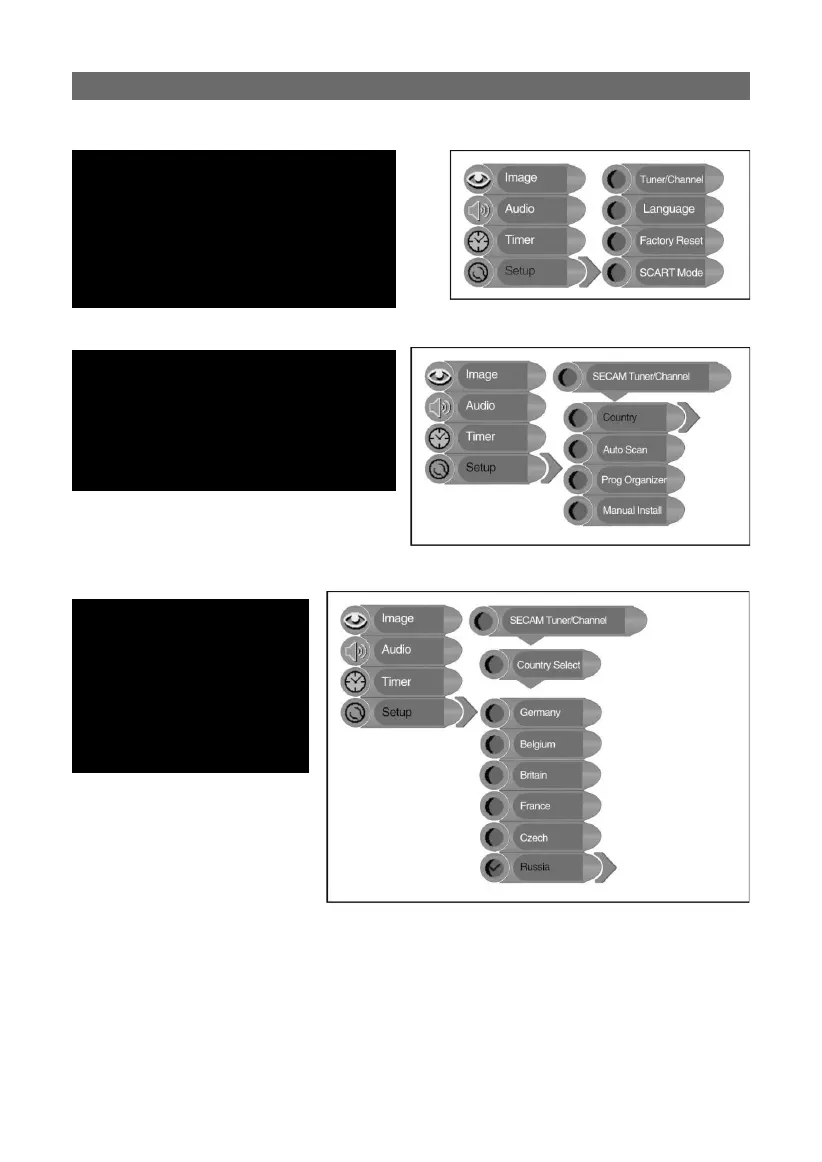
Press the “MENU” button once to enter the
setup menu. Press the “▲▼” button to select
“Setup” and press the “ENTER” button to
activate the menu shown on the right.
In the “Setup” menu, press the “▲▼” button
to select the desired item. Press the “MENU”
button to return to the previous menu or
press the “EXIT” button to exit the setup
menu completely.
tuner/channel:
Press the “▲▼” button to select “Tuner/
Channel” and press the “ENTER” button to
activate the menu shown on the right. Press
the “▲▼” button to select the desired item and
press the “ENTER” button to enter the setup
menu. Press the “MENU” button to return to
the previous menu
country:
Press the “▲▼” button to
select “Country” and press
the “ENTER” button to activate
the menu shown on the right.
Press the “▲▼” button to select
the desired item and press the
“ENTER” button to confi rm. Press
the “MENU” button to return to
the previous menu



 To Next Page