50
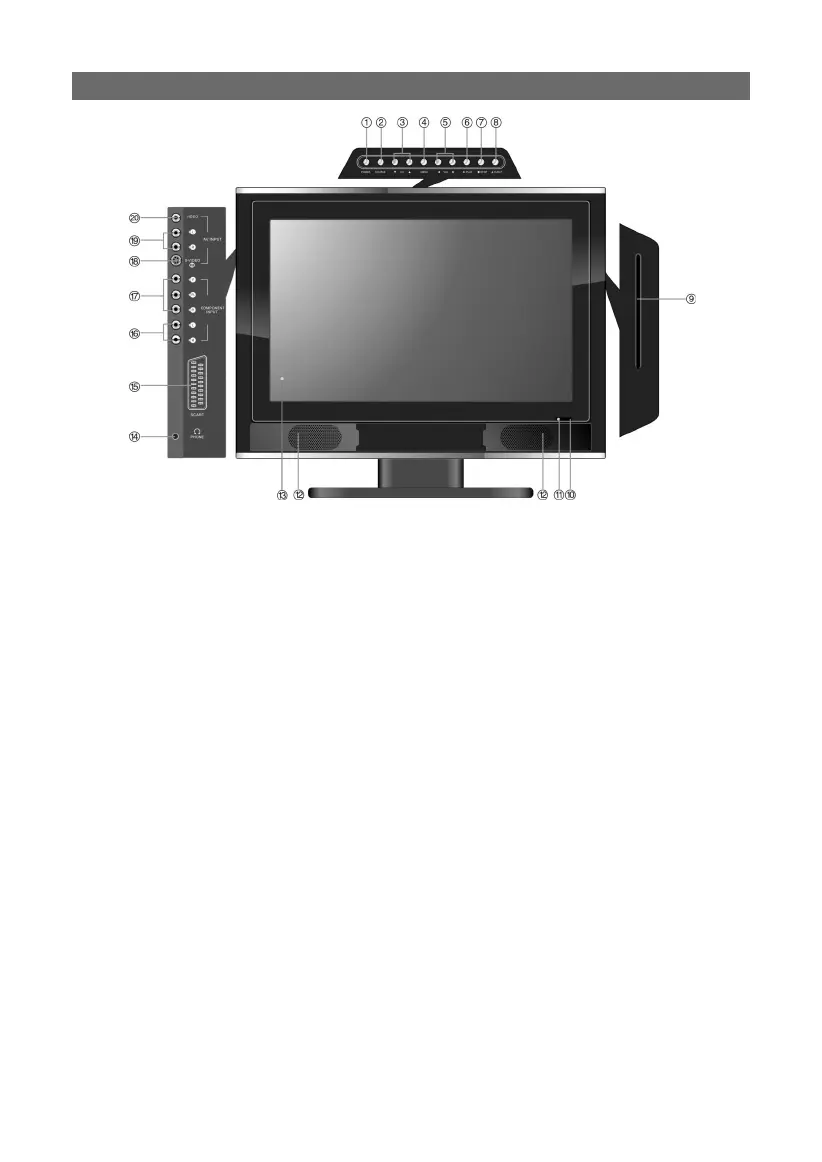
SIDE-PANEL INPUTS AND OUTPUT JACKS
14. earphone/headphone jack:
14. earphone/headphone jack:
When connected to earphone type device, the internal speakers will automatically shut-
off and divert the sound to the earphone for private listening.
15. SCART input jack:
Use this connector for SCART input when using the SCART mode.
16. L/R audio input jack:
16. L/R audio input jack:
Use these connectors for L/R audio input when using the Component Video mode.
17. Y/Pb/Pr input jack:
Use these connectors for Y/Pb/Pr input when using the Component Video mode.
18. S-VIDEO input jack:
Use this connector when connecting a S-VIDEO compatible device.
19. L/R Audio input jack:
19. L/R Audio input jack:
Use these connectors for L/R audio input when using the COMPOSITE or S-VIDEO
mode.
20. VIDEO input jack:
In the COMPOSITE mode, connect to an external video signal device.



 To Next Page