66
balance setup:
Press the “▲▼” button to select “Balance” and press the “◄►” button to adjust the
volume and output of the left versus right stereo speakers. Press the “MENU” button to
return to the previous menu.
auto volume setup:
Press the “▲▼” button to select “Auto Volume” and press the “ENTER” button to enter
the setup menu. Press the “▲▼” button to select the desired item and press the “ENTER”
button to confi rm your selection. Press the “MENU” button to return to the previous
menu.
setting the timer:
TV FUNCTIONS
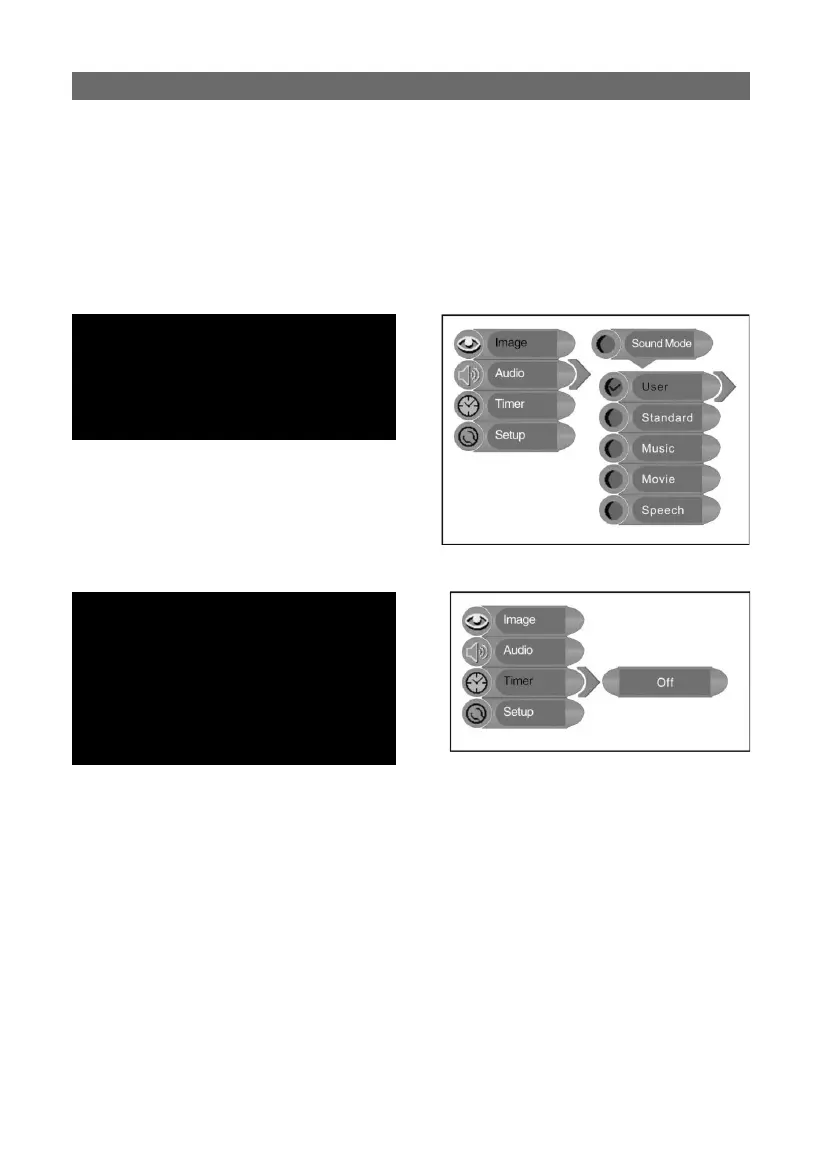
sound mode setup:
Press the “▲▼” button to select “Sound
Mode” and press the “ENTER” button to enter
the setup menu. Press “▲▼” to select the
desired item and press the “ENTER” button
to confi rm your selection. Press the “MENU”
button to return to the previous menu.
Press the “MENU” button to enter the setup
menu. Press the “▲▼” button to select “Timer”
and press the “ENTER” button to activate the
menu shown to the right.
In the “Timer” setup menu, press the “▲▼
” button to select Off, 15min, 30min, 45min,
60min, 75min, 90min, 105min or 120min.
Press the “MENU” button to return to the
previous menu or press the “EXIT” button to
exit the setup menu completely.



 To Next Page