51
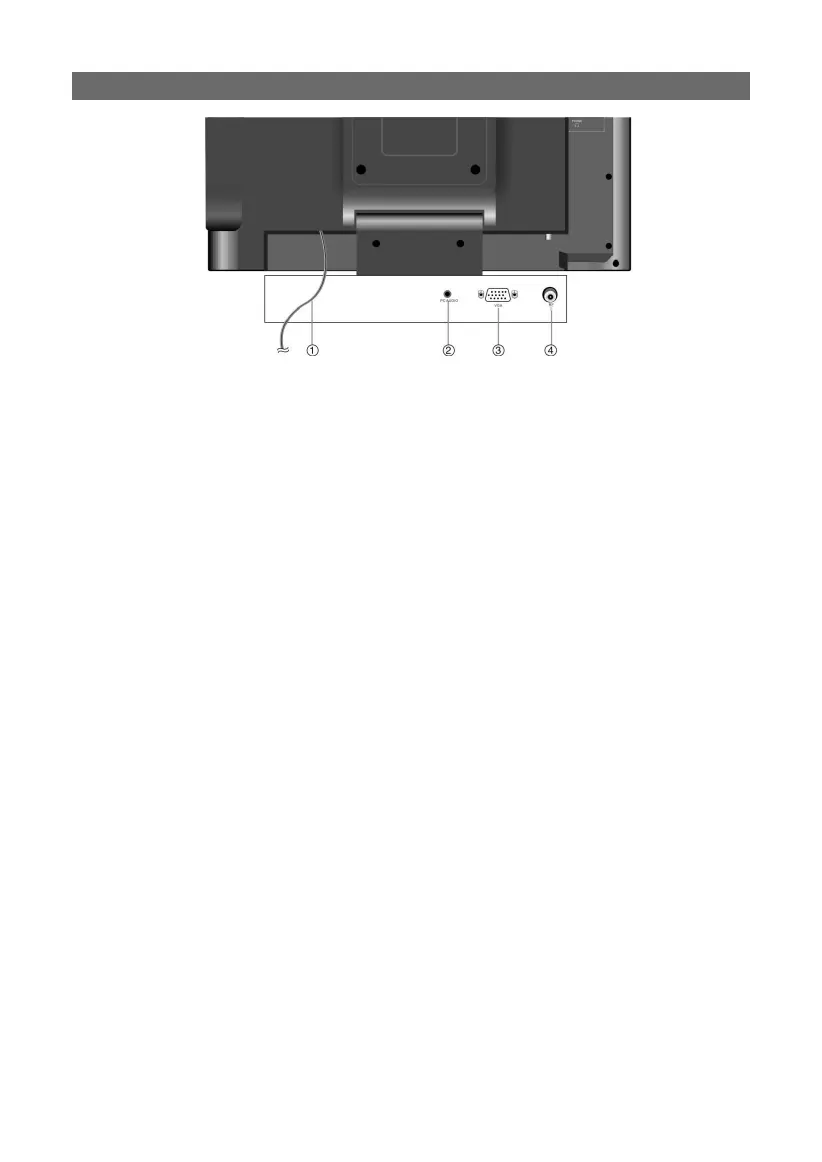
REAR PANEL CONNECTIONS
1. Power Supply Cord
Connect to the wall AC outlet.
2. PC AUDIO input jack:
When using this product as a “PC monitor”, connect to your PC’s audio output jack.
3. VGA input jack:
When using this product as a “PC monitor”, connect to the VGA output jack of a personal
computer to display VGA graphics.
4. RF input jack:
Connect to external broadcast antenna to receive the TV programs when in TV mode.
PLEASE NOTE:
Broadcast quality and reception availability vary widely by region and weather condi-
tions. Poor picture quality is typically not a problem of this device. Please thoroughly
check your antenna, the connections to the antenna and position, etc. as a remedy for
poor reception quality.



 To Next Page