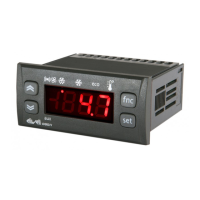
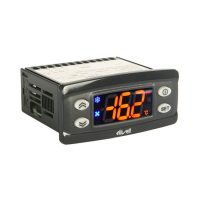
CONFIGURATION (folder with "CnF" label)
H00 (!) Probe type selection, PTC or NTC (Default). 0 = PTC; 1 = NTC.
H08 Stand-by operating mode. 0 = display switch off;
1 = display switch off, loads and alarms stopped;
2 = display with OFF label, loads and alarms stopped.
H11 Configurability digital inputs/polarity. 0 = disabled; ±1 = defrosting; ±2 = reduced set; ±3 = not used; ±4 = door
microswitch; ±5 = external alarm; ±6 = Stand-by (ON-OFF).
ATTENTION! Positive or negative values change the polarity.
H25 Enable/disable the buzzer.
0 = disabled; 4 = enabled; 1-2-3-5-6 = not used.
H42 Evaporator probe present. n = not present; y = present.
reL reLease firmware. Device version: read only parameter.
tAb tAble of parameters. Reserved: read only parameter.
COPY CARD (folder with “Fpr” label)
UL Up Load. Programming parameter transfer from instrument to Copy Card.
Fr Format. Erasing all data in the copy card.
PLEASE NOTE: using “Fr” parameter (copy card formatting) the data within the copy card will be lost permenently.
The operation cannot be cancelled.
(!) WARNING!
• If one or more of these parameters highlighted with (!) are modified, the controller must be switched off and switched
on again to ensure correct operation.
• In any case, it is strongly recommended that you switch the controller off and switch it on again any time parameters
have been changed to prevent malfunctioning on configuration and/or timing underway.
19


 To Next Page