4 FAP User
1 OPERATING MODES
The FAP54 control panel has two operating modes: scanning phase and programming phase.
When FAP54 is powered on, the scanning phase will be always started and maintained until the installer or the user
carries out an intervention.
2 SCANNING PHASE
In this operating mode the control panel monitors the detectors scattered in the field and manages the following
events:
alarm
general fault
field fault
maintenance
exclusion
events related to slave control panels (if the control panel is set as master)
generic events (not classified into any of the previous categories)
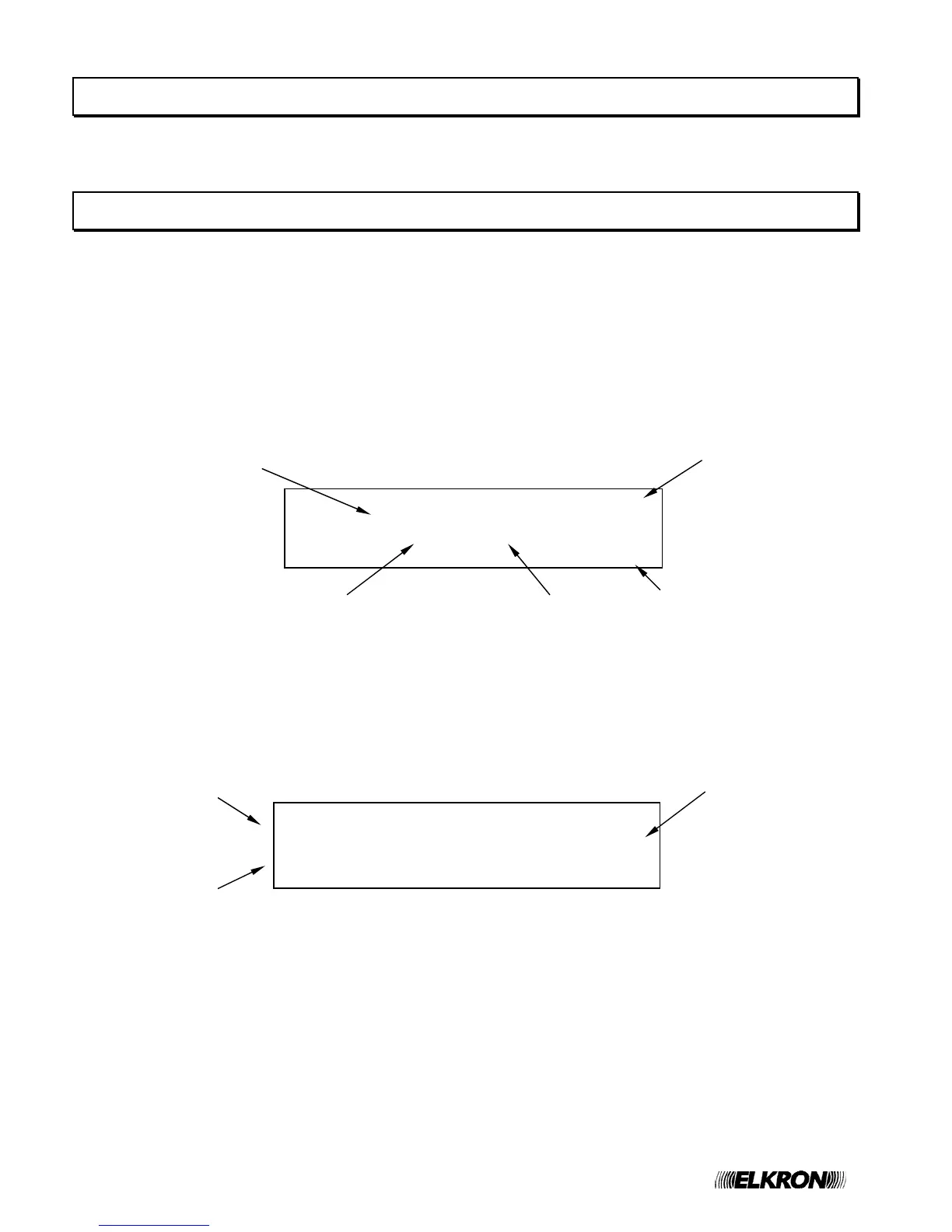
Normally, if there are not active events, the display on the control panel front side shows the following message:
The event indicator is shown when at least one event has occurred since the last time a level 2 password has been
inserted. If no event has occurred, a blinking asterisk will be displayed instead of the event indicator.
If the control panel has not been programmed yet, the display shows the message “MONITORING NOT POSSIBLE”.
If an event occurs, the display shows the event, along with the cumulative counters for each type of event on the right-
hand side.
Should more events occur, the display shows, in addition to the event counter increase, the first event occurred at the
top and the most recent alarm (if present) at the bottom.
ALM Z002 R00 L01 D015 SM A101 >ZA003
KITCHEN DETECTOR GF000
ALM Z110 R00 L01 D018 SM A101 FF000
CORRIDOR DETECTOR EX000
Event cumulative
counters
First event
occurred
Last alarm
occurred
Time
#
FIRE DETECTION SYSTEM
12/10/2008 11:50:42
FAP54-04
Date
Type of Control panel
System name
Event indicator


 To Next Page