ET8/480, ET8/480S and ET8/480PT - TECHNICAL MANUAL - 37
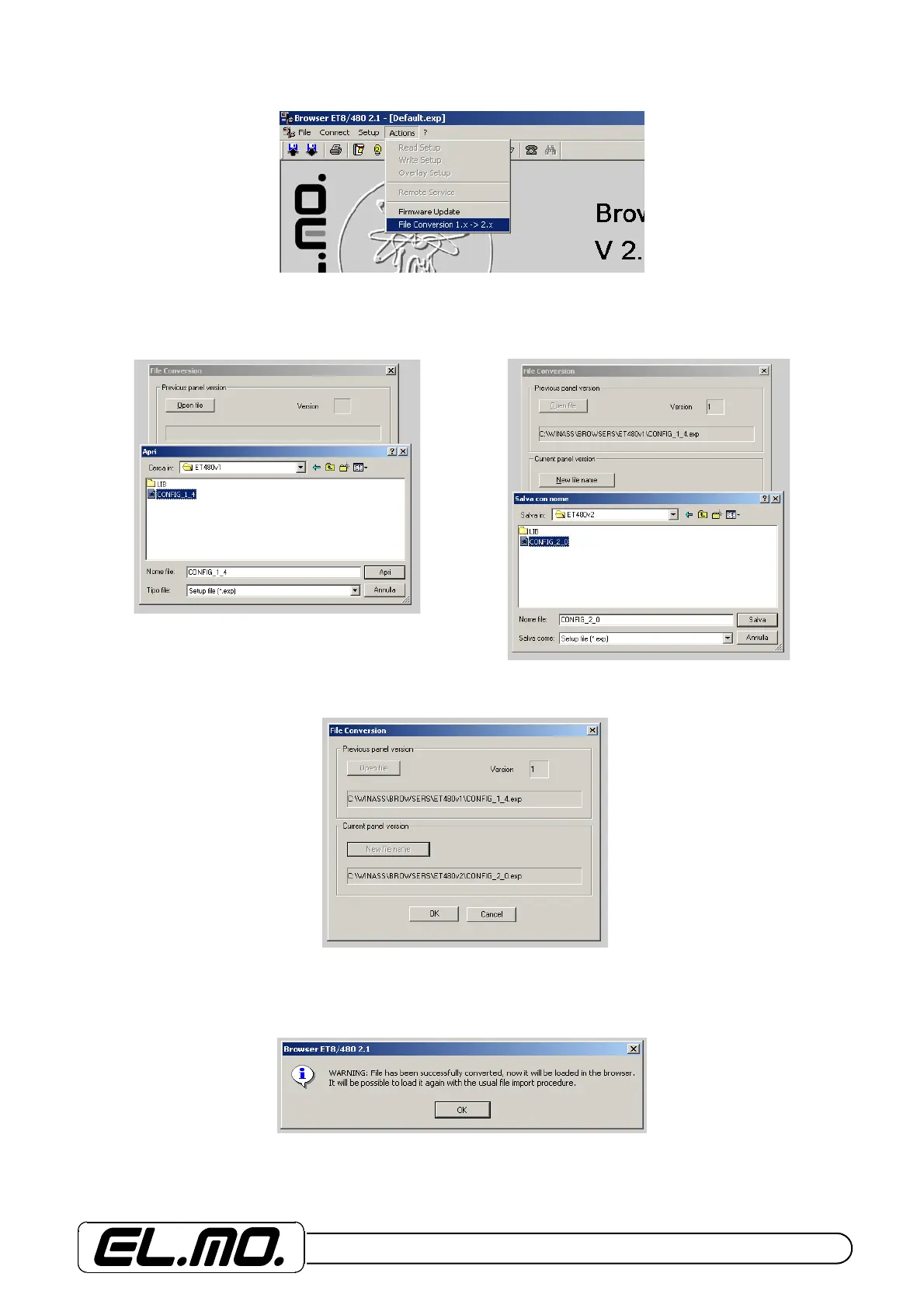
Example of conversion of a configuration relative to a release previous to 2.x. Select Conversion File 1.x -> 2.x.
Open the folder containing the previous version configuration and select it. Press open and save with a new name in the
version 2.x folder.
The program will convert the file to a format compatible with the control unit’s current version, only by selecting OK.
At the end of the operation, indications useful to the following programming activities will be displayed.


 To Next Page