36 - ET8/480, ET8/480S and ET8/480PT - TECHNICAL MANUAL
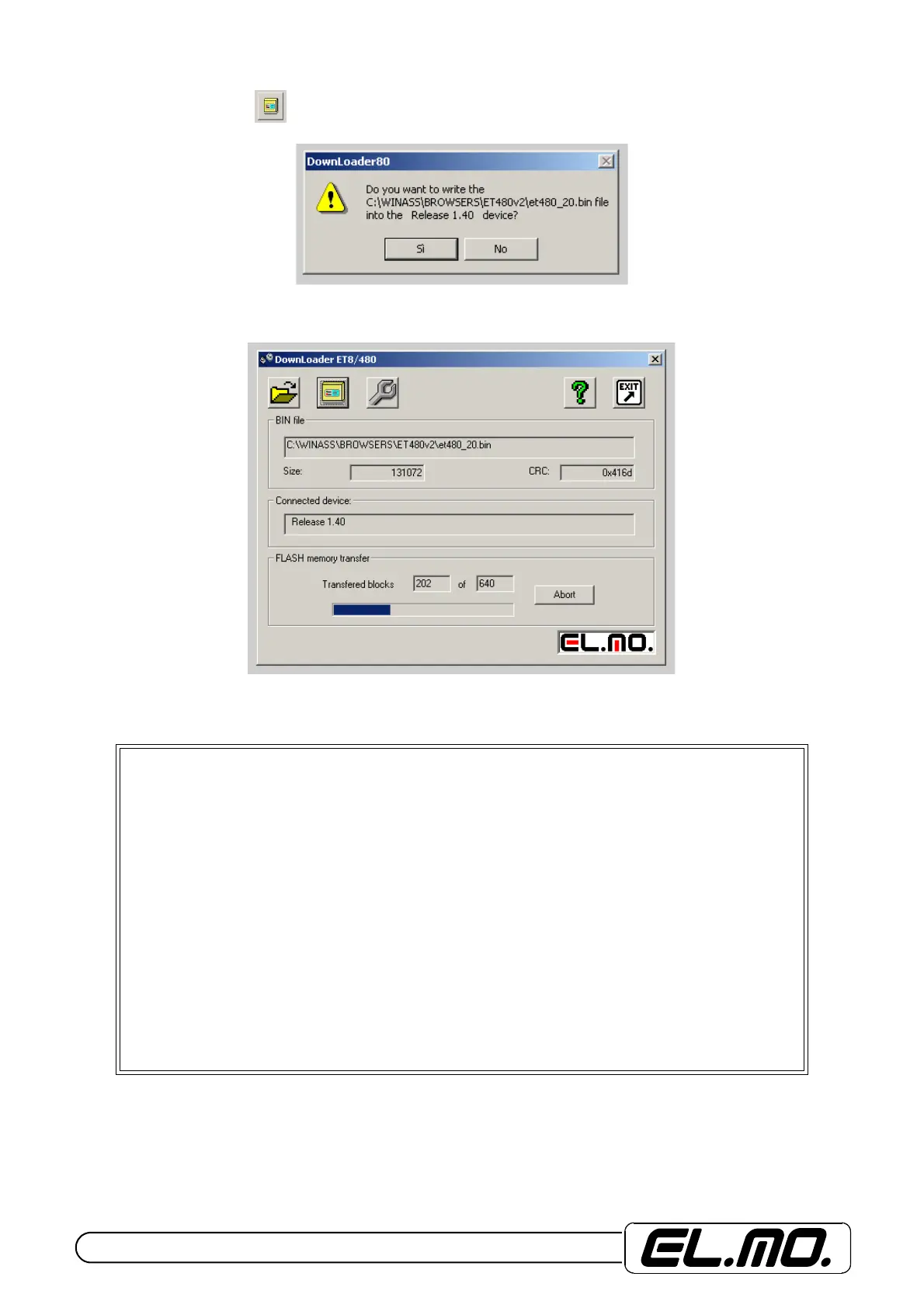
Go back to PC and select icon to start the communication with control unit. Find below the request of confirmation
that appears in order to proceed with the indication of firmware’s diversity. Press "SI" key to move on.
Communication’s activation and download can be observed on the coloured bar. A first reset is carried out when the bar is
half a way. You are requested to press OK to proceed with the second part.
Wait up until the procedure of control unit automatic reset is complete. Disconnect CP8SER2 cable and exit the update
procedure. Check control unit functionality with new firmware.
WARNING:
- *.BIN configuration file can be sent by e-mail and therefore there is no need to replace the
EPROM.
- Upgrade needed before using the file with control units featured by a previous firmware
version. The browser will give instrunction’s to the technician if upgrade had not been ma-
de.
- Control unit’s programming configuration reading needed before its use with different
class control units such as ET8/48 and ET8/48S.
- Save the configuration in the PC and convert it by means of the browser. Update the con-
trol unit with the new program and then make the default reset.
- The upgraded control unit’s configuration cannot be downloaded through direct connec-
tion because it is not compatible with the new firmware.
- The browser is able to convert the old configuration to a format compatible with version
2.0. Select Action Menu Conversion File 1.x -> 2.0 .
- After the conversion, connect to the browser. At last download the control unit’s confi-
guration for system management.


 To Next Page