32
Reset Stitch To Factory Default Settings
It is possible to reset the machine so personal
settings for an individual stitch revert to the factory
default settings.
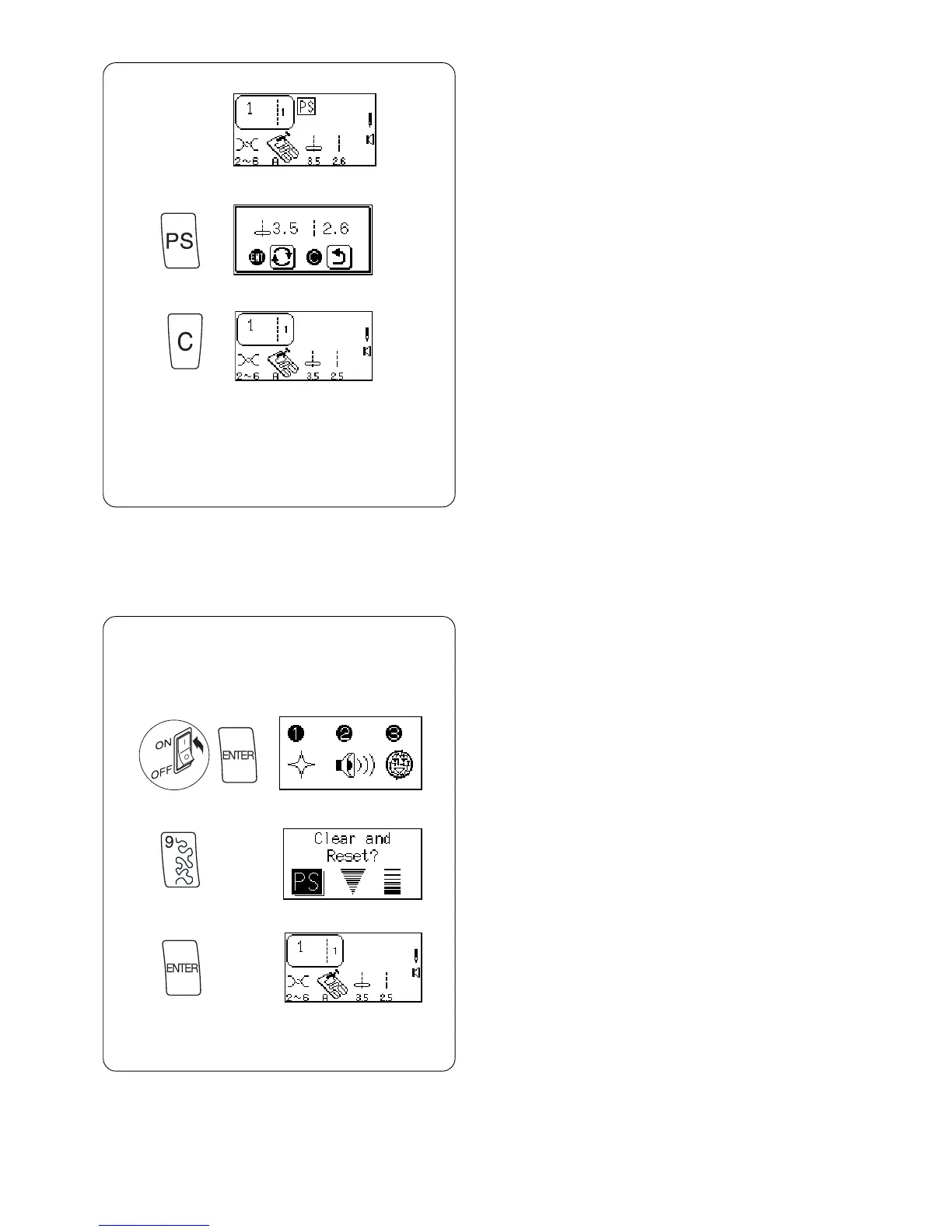
z Display the stitch you want to reset in the LCD
screen.
z
x
c
x Press “My Personal Setting” key. Message
screen appears.
c Press “C” key. PS symbol disappears and
factory default settings are displayed.
Reset All Stitches To Factory Default Settings
It is possible to reset the machine so all personal
settings for all stitches revert to the factory default
settings.
z Tu rn OFF the power switch. Press “ENTER”
key while turning power switch ON. Message
screen appears.
z
x
c
x Press “ 9” key. Message screen appears.
c Press “ENTER” key to confirm and reset to factory
default.
OR
Turn off power switch to cancel the reset and
retain personal settings.



 To Next Page