75
n Change thread color.
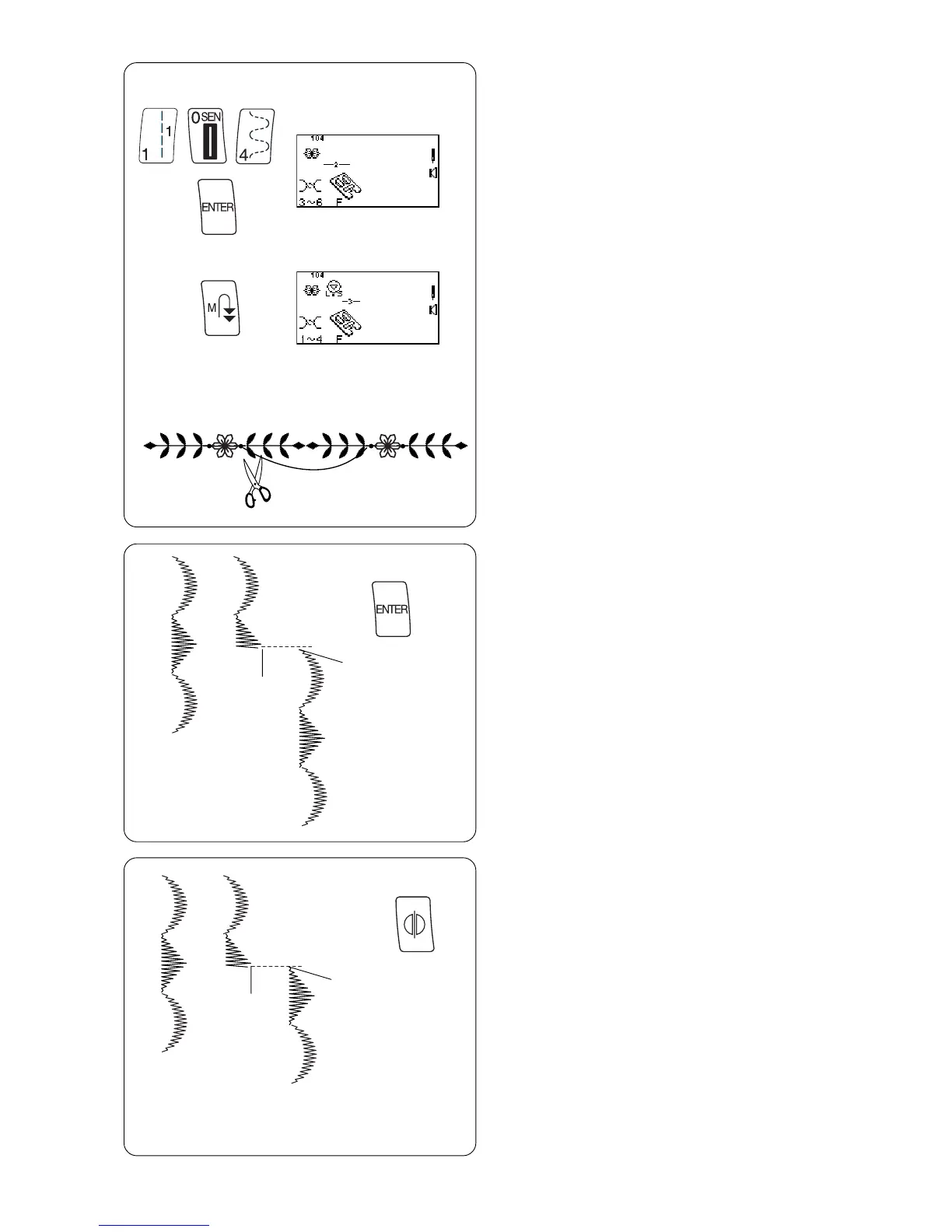
m Select 104. Press “ENTER” key.
n m
,
. ⁄0
, Press “Memory Auto-Lock” key.
. Place fabric and stabilizer under foot and sew
over straight stitch, placing flower between
leaves.
⁄0 Cut connecting threads.
Reset Combined Sequence to Beginning
It is possible to partially sew the combined sequence
and restart the machine at the beginning.
z Combine a sequence.
x Begin sewing. Stop sewing.
c Press “ENTER” key.
v Reposition fabric and stabilizer under foot and sew.
The machine sews from the beginning of the
combined sequence.
Reset Combined Sequence to Beginning
of Incomplete Stitch
z Combine a sequence.
x Begin sewing. Stop sewing.
c Press “Mirror Image” key.
v Reposition fabric and stabilizer under foot and sew.
The machine sews from the beginning of the
incomplete stitch.
z
x
v
c
z
x
v
c



 To Next Page