84
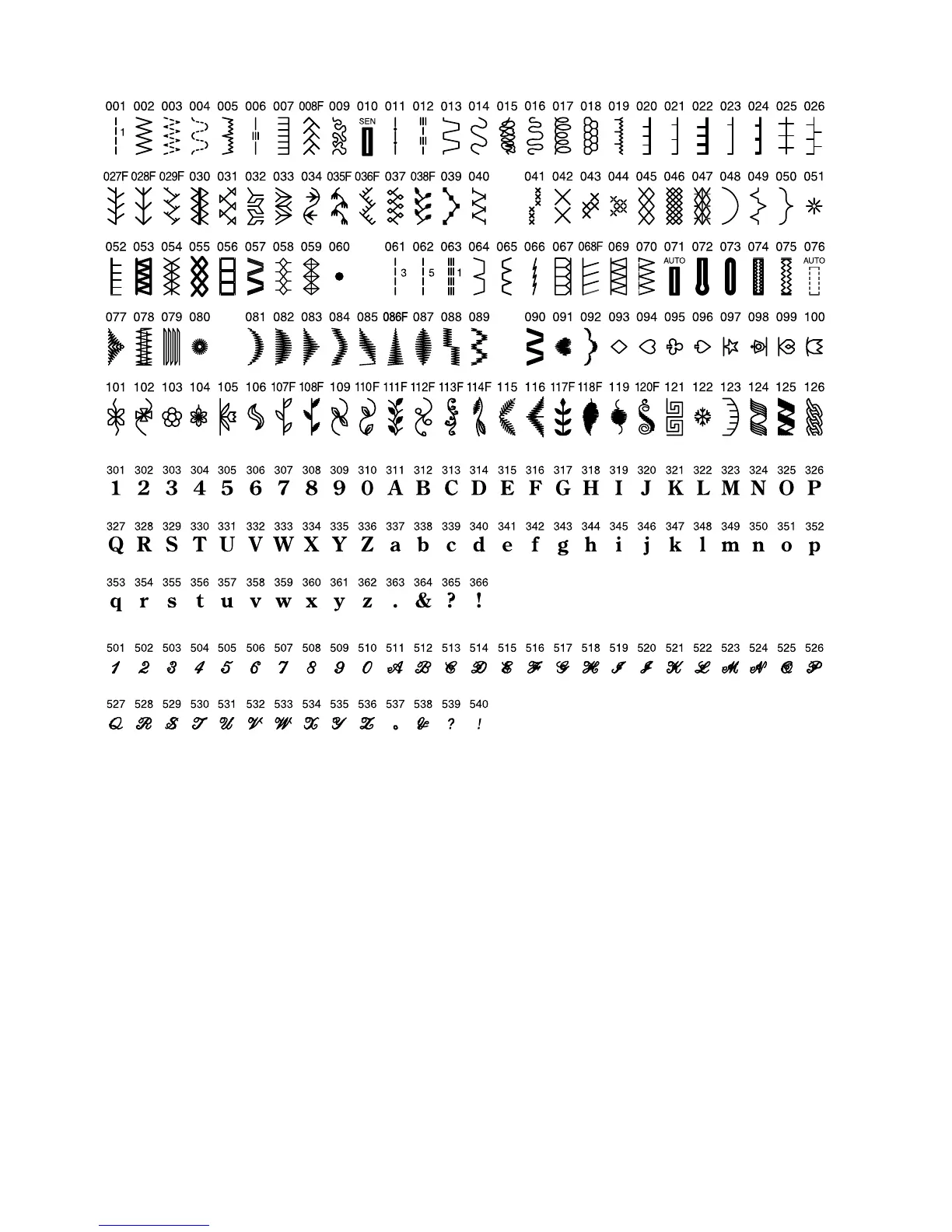
Stitch Chart
NOTE:
Stitches 001, 061, 062 and 063 have a number to the right of the stitch illustration. This number indicates how
many stitches will be sewn if programmed into a sequence.
Stitches that are compatible with the Face to Face key are identified on the stitch chart with an “F” directly
following the stitch number.
Buttonholes 010 and 071 are both the classic buttonhole style but are sewn using 2 different methods. To easily
identify which method is being used, they are identified with either SEN or AUTO. SEN indicates that the button-
hole lever is lowered and the “R” buttonhole foot should be attached. AUTO indicates that the buttonhole lever is
NOT lowered and you can use either the “B” or “R” buttonhole foot. Buttonholes 072–075 can only be sewn by
lowering the buttonhole lever and attaching the “R” buttonhole foot.



 To Next Page