56
Darning
Darning with a sewing machine saves a lot of
time. It is used for repairing very worn areas (not
holes) in fabric.
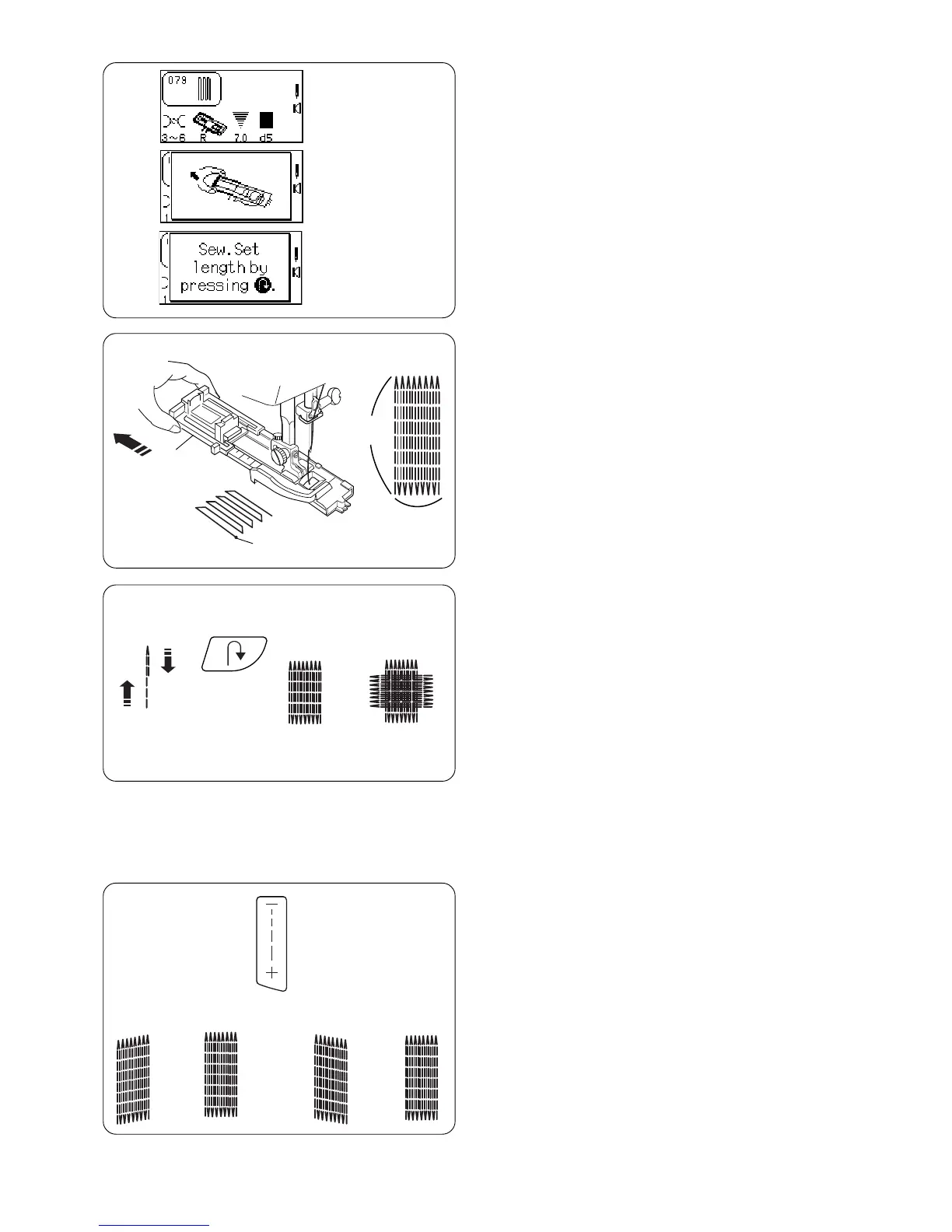
Select 079. The LCD screen will briefly show two
messages.
Automatic Darning
Extend the buttonholder q completely open. Place
both threads to the left under the foot. Insert fabric
under the foot and lower the needle at the starting
point w. Lower the foot. Sew.
The size of one darning cycle is variable.
However, the maximum darning cycle length e is
2 cm (3/4˝) and the maximum darning cycle width
r is 7 mm (1/4˝).
Setting Memory Darning Size
To darn a length less than 2 cm (3/4˝) t, stop the
machine after sewing the desired length and press
the “Reverse” key. The darning length has now
been determined. Restart and sew until the
machine stops automatically.
To sew another darning cycle with same size -
raise foot, move fabric, lower foot and sew.
Reset Darning Cycle Size
To sew darning with a different size (or width/length
adjusted), reset the machine by pressing “ENTER”
key or reselect 079. Sew new darning size using
same method.
To Adjust the Evenness of Darning Stitches
Fabric and the number of layers can affect darning.
If one side of darning is higher or lower than the
other, make them even by pressing the “Stitch
Length” key.
If left corner is lower than right side, press “–”.
If left corner is higher than right side, press “+”.
NOTE: d5 is default setting. Evenness can be set
between d1 and d9.
q
w
e
r
t
d5 d4 d5 d6(–) (+)



 To Next Page