Service Manual: ET1517L, ET1717L
ES600904 Rev B, Page 28 of 44
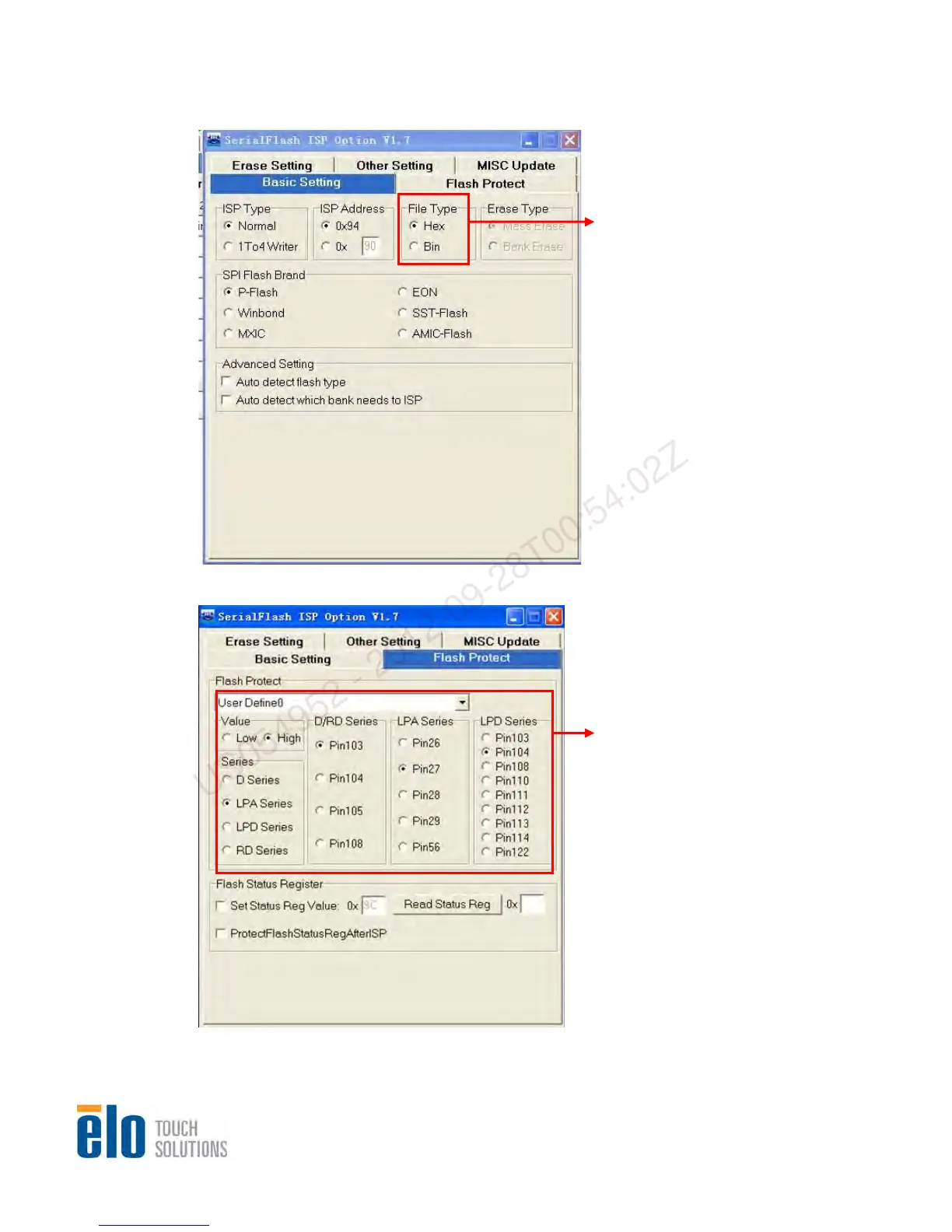
3.1 Sele
ct “Basic Se
tting” to set file type of firmware
Set correct file format in “File type”
Others are default.
3.2 Select “Flash Protect” and set as following
Select “User Define0” in “Flash Protect”
Set “LPA Series” to Pin27
Set “Value” to High
Set “Series” to LPA Series
US054952 - 2012-09-28T00:54:02Z


 To Next Page