905U Wireless I/O Module User Manual
105S Serial I/O Module
Page 28 © January 2011
transmission is complete. When the 905U transmits, it will wait for a return “acknowledgement”
message from the destination module, indicating a successful message. If transmissions are not
successful (radio or serial), then the module will re-try up to four times at random intervals to transmit
the message.
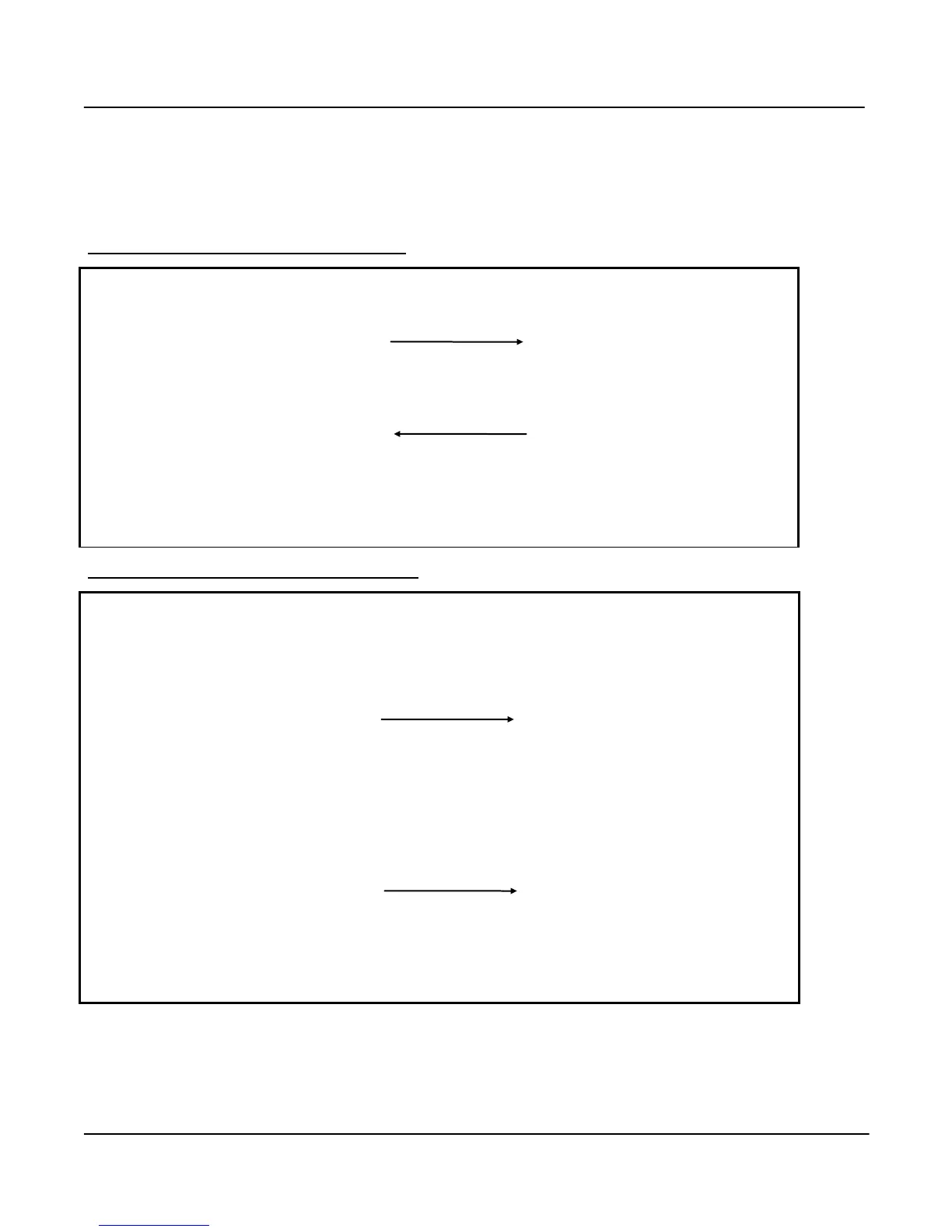
Example of Successful Communications
Local Unit
• Listen to ensure channel is clear
Remote Unit
• If clear, transmit message
TX LED flashes if radio
RX LED flashes if RS485
• Receive message
RX LED flashes
Check message for integrity
• RX LED flashes
• Acknowledgement received okay –
communication complete
• If message okay, transmit it back
as acknowledgement
TX LED flashes if radio
RX LED flashes if RS485
Outputs updated as per
message received.
Example of unsuccessful communications
• Listen to ensure channel is clear
• If clear, transmit message
TX LED flashes if radio
RX LED flashes if RS485
• Receive message
RX LED flashes
Check message for integrity
Message corrupted - do
nothing
• No acknowledgement received
• Retry up to four times
• Still no acknowledgement
“Comms fail” status to remote unit
set
If status is mapped to an output,
set output
If no update received for an
output within watchdog timeout,
check to see if the output is
configured to reset
• Reset outputs if configured
If communications is still not successful, the “Comms Fail” internal status will be set. In the default
configuration, this will have no consequence and the module will continue to attempt to transmit to the
remote module every ten minutes. For critical applications, the “comms fail” status can be configured



 To Next Page