905U Wireless I/O Module User Manual
105S Serial I/O Module
Page 38 © January 2011
4.2 Easy Configuration Using Default Settings
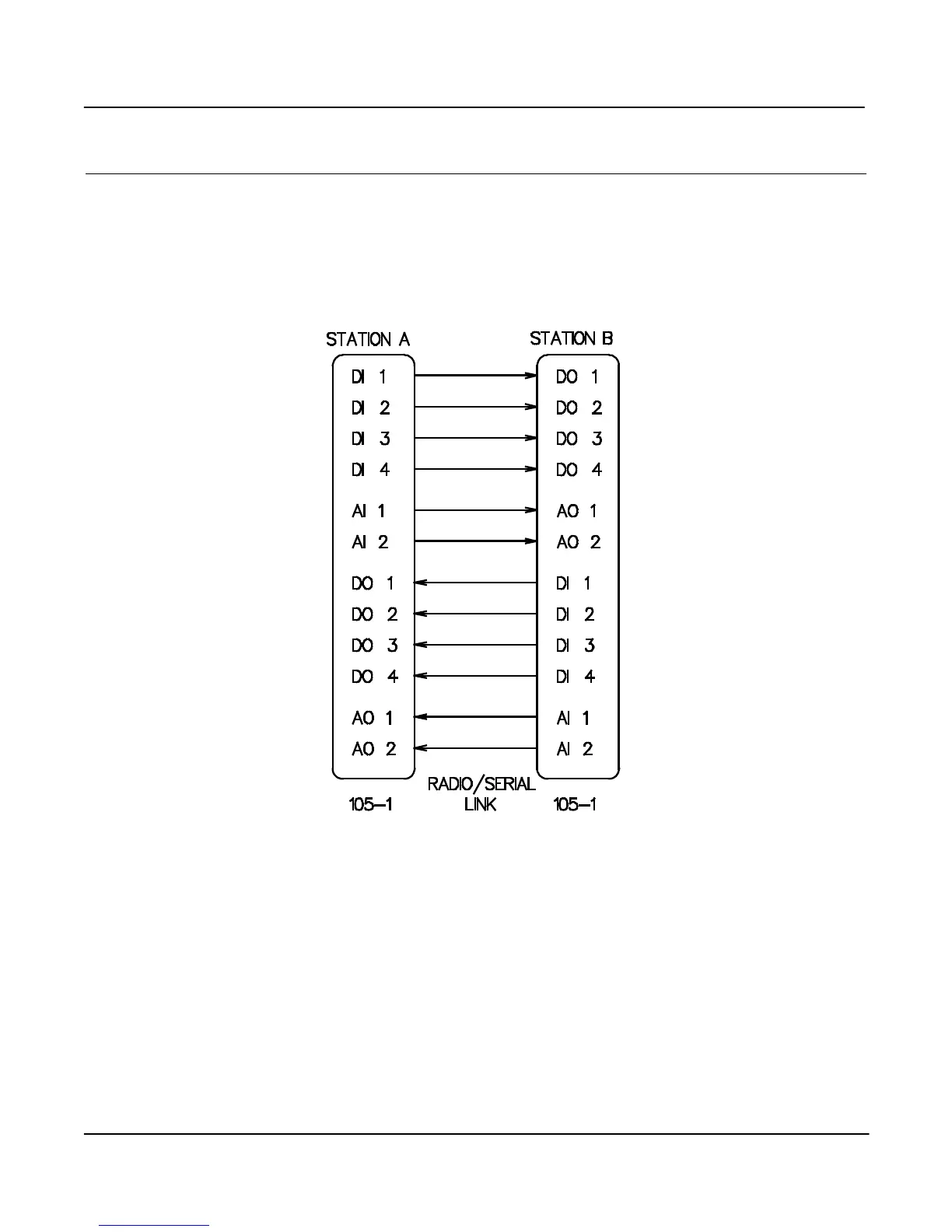
If your application requires only a single pair of modules, communicating via radio or serial link, default
settings may satisfy your needs. If so, no configuration is required. Essentially, all inputs at Module A are
reflected at the corresponding outputs at Module B. All inputs at Module B are reflected at the
corresponding outputs at Module A.
For “-1” modules, the default configuration is as follows :-
In this configuration, the “PO” Pulse output is inactive and no special action is taken on “Comms fail”,
“Mains fail” or “Battery Low”. “DI 1” is configured as a digital and not a pulse input.



 To Next Page