Chapter Six Troubleshooting
man_905-105_2.16 Page 71
example, if the radio test is done during winter and the radio path is through trees without leaves, then
another 10dB of margin should be allowed for to cover summer conditions when the trees have leaves.
When using directional antennas (i.e. YAGI antennas) this feature may be used to peak the received
signal level. Set-up the remote unit to transmit tone reversals as described above, and observe the
signal indication while adjusting the orientation of the antenna. A peak in signal level indicates
optimum orientation of the antenna.
105U Fixed Frequency Units
The received signal strength is displayed as a horizontal meter scale.
0123456789----
#
Under normal radio conditions, a reading of 0 indicates a very marginal communication path. For
reliable communications, the signal reading should be 3 or above.
In areas experiencing radio interference or high background noise, reliable communications may not be
achievable even with this signal level. To determine if interference is occurring the signal option may
be selected without any other 105 units active. In a normal radio environment, no reading should be
displayed. If a reading is displayed, then the received signal strength from the remote should be at
least two counts higher than the background noise for reliable communication.
>k Displayed signal level of
Signal background noise/interference
0123456789----
#
>k Minimum signal level for reliable comms
Signal
0123456789----
#
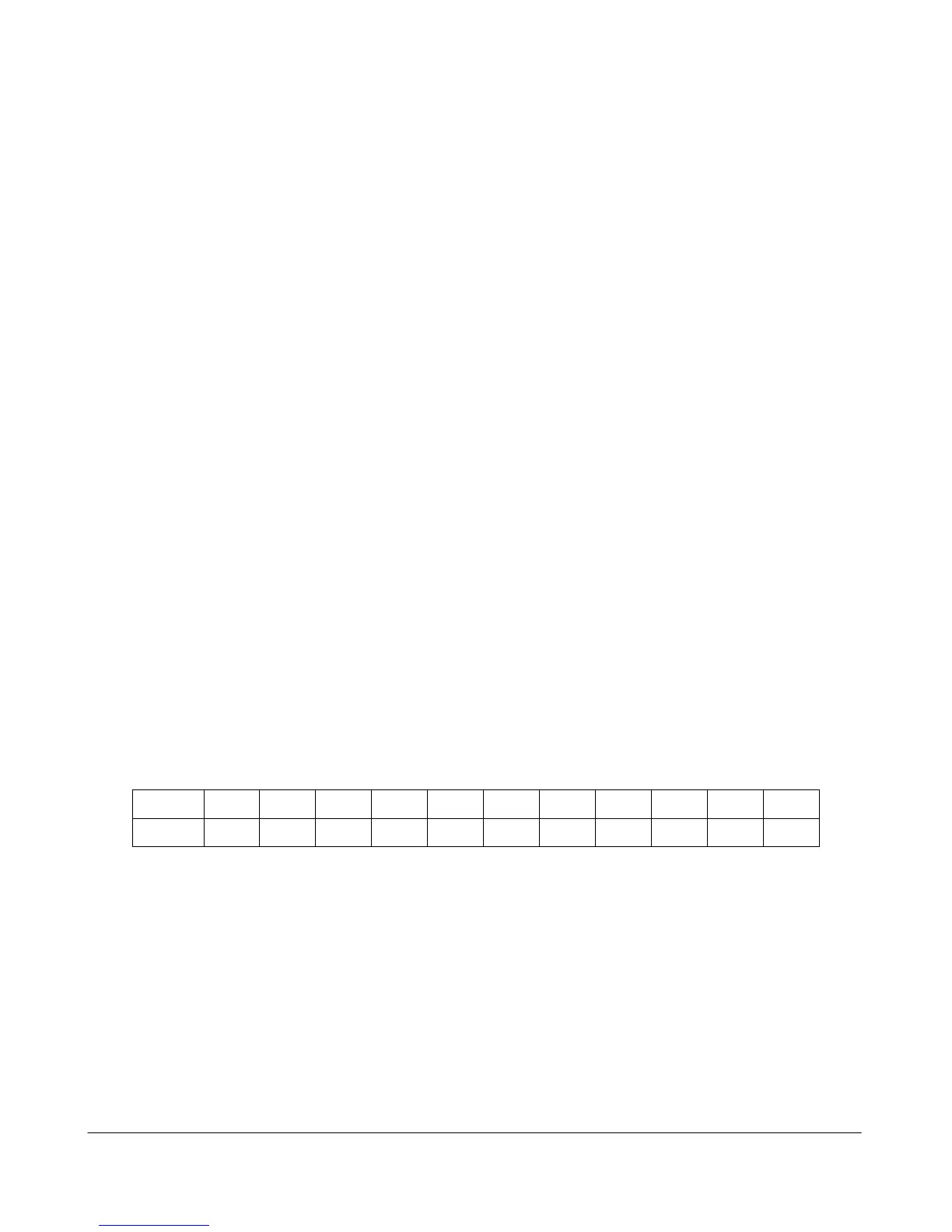
The following table converts the indicated scale to a dBm value.
Scale
0 1 2 3 4 5 6 7 8 9 10
-dBm
-110 -106 -102 -98 -94 -90 -86 -82 -78 -74 -70
6.2.4 Comms Logging
These options allow logging and display of radio communications. To start “Comms logging”:
• select option the “Comms” option from the diagnostics menu (see section 6.2.3),
• select ‘Stop Terminal’ and then
• select ‘Start Comms’.
The display will show radio messages transmitted and received. Messages starting with TX are
transmitted messages, and received messages start with a small line indent. At the end of each
received message is the RSSI (radio signal strength) in dBm.



 To Next Page