905U Wireless I/O Module User Manual
105S Serial I/O Module
Page 72 © January 2011
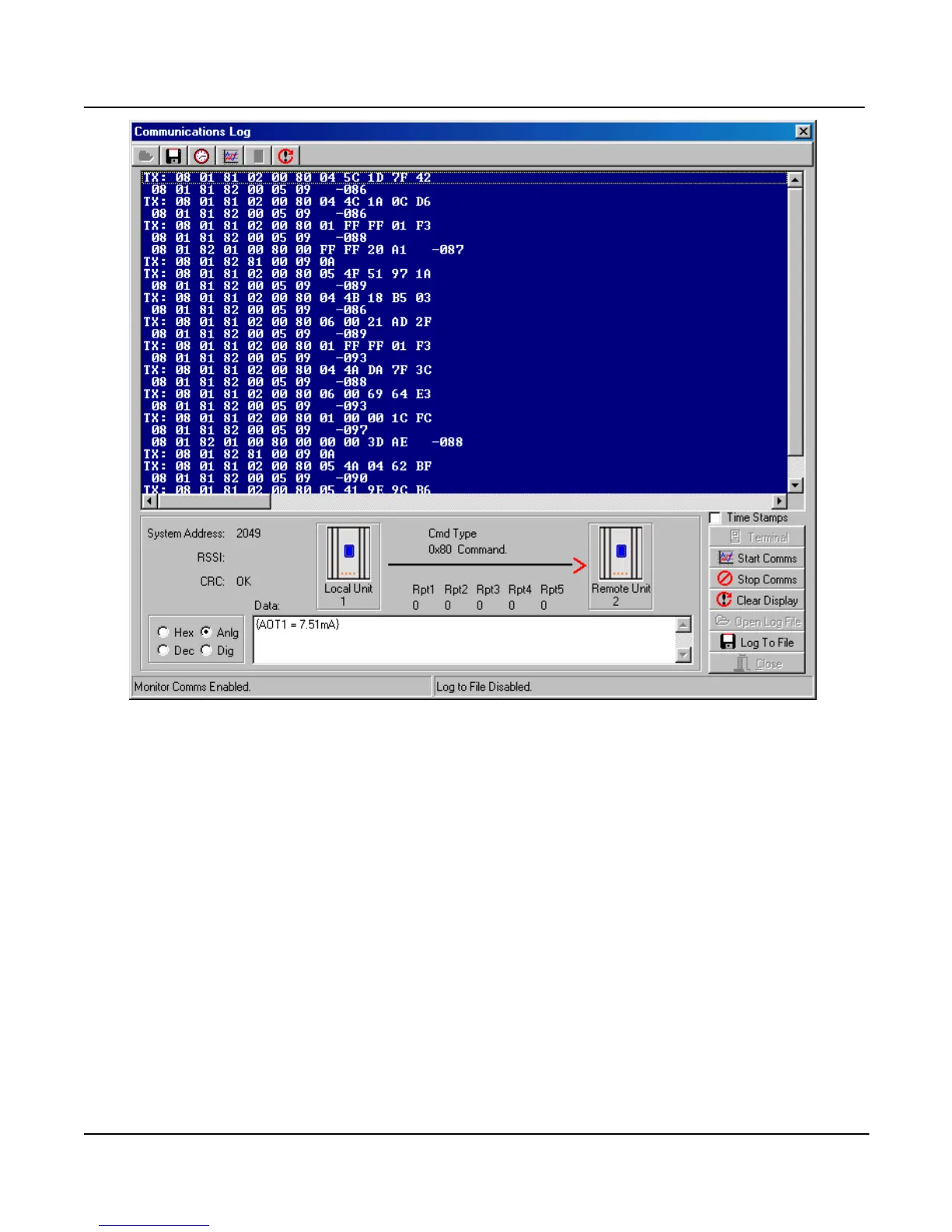
If you select any message line with the mouse, information about the message will be displayed at the
bottom of the screen - the system address, RSSI and CRC (error-check) status. The “text box” at the
bottom middle of the screen decodes the message - that is, it decodes the message to display I/O
channel and value.
You can display the register values in Decimal by selecting “Dec” at the bottom of the screen. If you
select “Dig”, the values will be displayed as a 0 or 1 digital value (1 if the 16-bit value is greater than
50% - that is, the most significant bit is 1). If you select “Anlg”, the value will be displayed as a 4-
20mA range.
To stop “comms logging”, select the “Stop Comms” box. You can then shut down the diagnostics
screen, or select “Terminal” to go back to the diagnostics menu.
Add Time Stamps
Time stamps can be added by selecting the “Time Stamps” box. This will allow the current time and
date to be displayed with each message. The “Comms log” can be saved to a file for future reference
by selecting “Log to File”.



 To Next Page