Chapter Four Configuration
man_905-105_2.16 Page 47
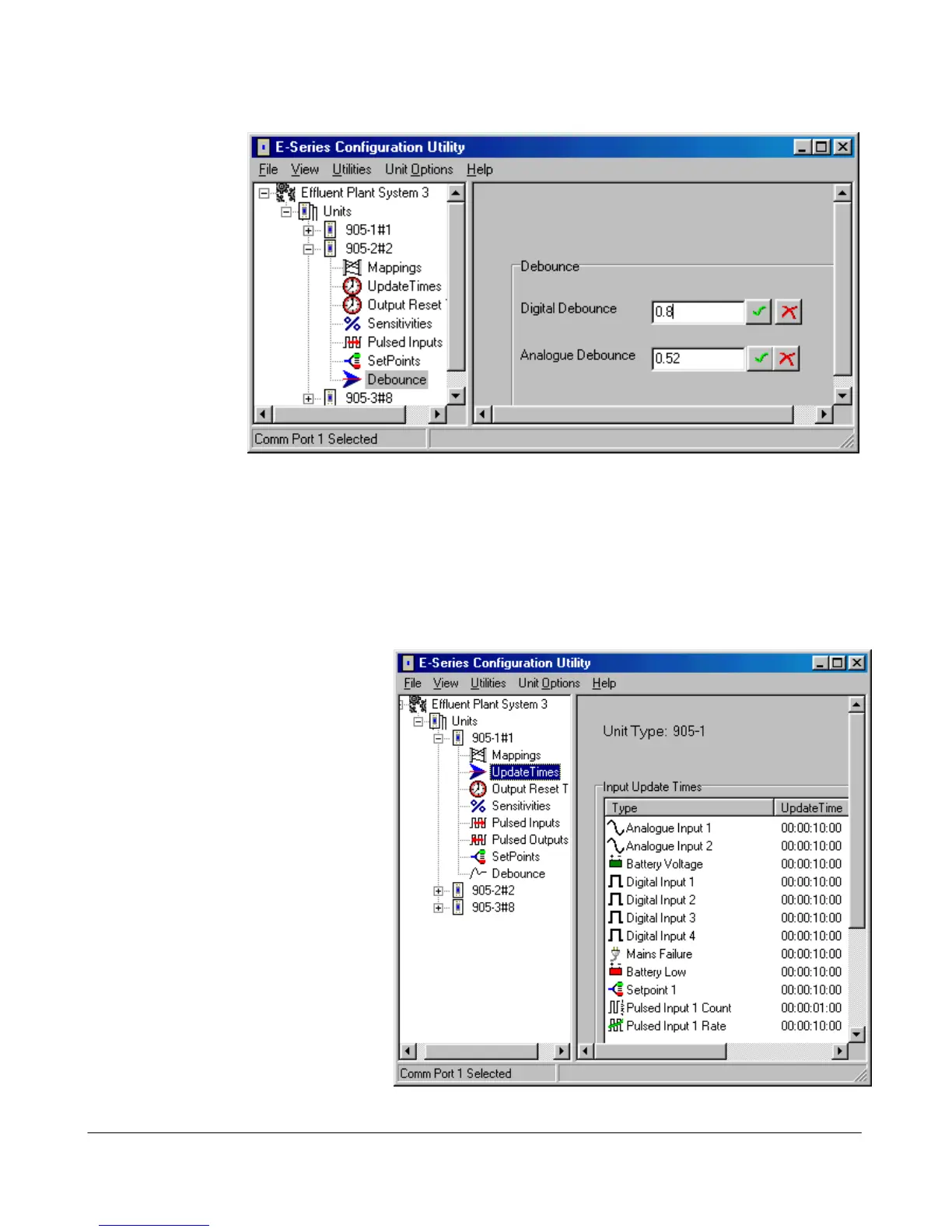
Debounce Configuration
Debounce is the
time which an
input must stay
stable before the
module decides
that a change of
state has occurred.
If a digital input
changes (say 0 →
1) and changes
again (1 → 0) in
less than the
debounce time,
then the module
will ignore both
changes.
Debounce may be configured for digital inputs on the –1, -2 and -4 modules (0.5 - 8 seconds) and the
analog inputs on the -2 module (0.5 - 8 seconds). The default value of 0.5 seconds is suitable for most
applications. In applications where a digital input may turn on and off several times slowly (for
example, security switches or float switches) a debounce time of up to 8 seconds may be configured.
The configured debounce time has no affect on pulse inputs.
Note that the analog debounce is not configurable for the -1, but is configurable in the -2.
Update Time Configuration
Update messages are sent if a change
message has not occurred within the
update time period. The update time
may be set for each input - both
physical and internal inputs.
The default period is 10 minutes for
all inputs, except for pulse inputs (1
minute). Short update times should
only be used in special circumstances.
It is important to remember the
principle - “Less radio traffic means
better communications”. Frequent
updates from multiple units causes
congestion of the radio channel, which
results in increased communication
failures and poorer performance of the
system. To change an update time,
select “Update Times” on the left-
hand menu and double-click the
selected input. The update time will be shown in days:hours:minutes:seconds. Change the values in



 To Next Page