18
3.7 RS485 MODBUS COMMUNICATION PROTOCOL
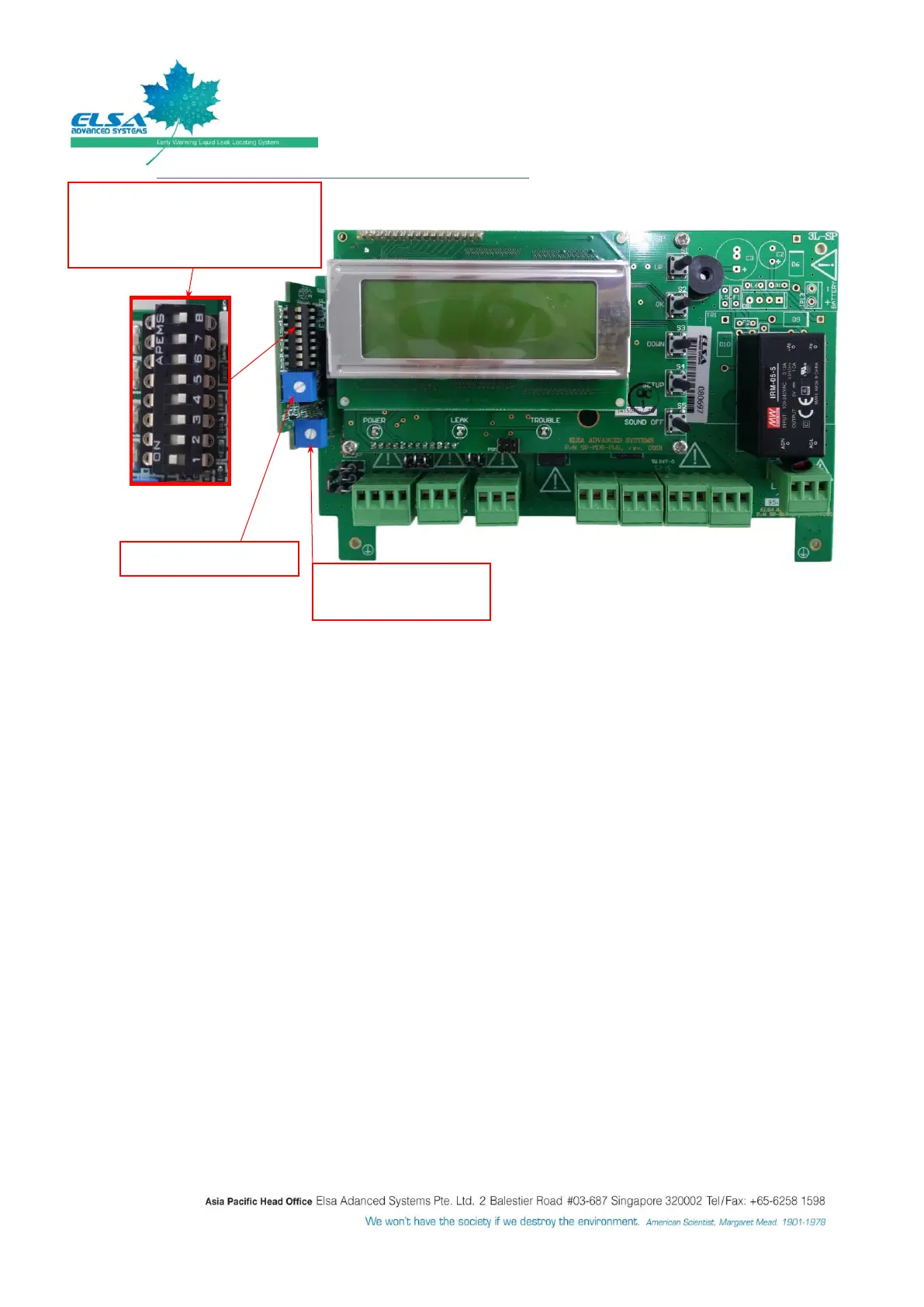
Sensitivity Level adjustment: Potentiometer in blue square with white color circle.
Turn the potentiometer (SENS.) anti-clockwise all the way (+ sign on front face) for most sensitivity
level (about 20mm length of tap water).
Turn the potentiometer (SENS.) clockwise all the way (- sign on front face) to for least sensitivity
level (about 200mm length of tap water).
Select slave number: DIP switch in BLACK color component (the picture shows slave or zone #1)
Slave number is set as #1(as picture).
Modbus interface : Modbus Slave Number
Subsequent 3L-SP/AP modules connected in daisy-chain have to be set at different Modbus slave number
(i.e.: different Zone#) so that each can be individually identified by the Supervising system. Refer the below
steps to set Modbus Slave number:
Press “Setup” button.
Select “SYSTEM PARAMETERS”, and Select “SYSTEM SETUP”, and input password : 12341234.
Select “MODBUS Interface”, and change the Modbus slave number.
o For interfacing with high level Building Management System (BMS) or SP panel. Can assign
from 1 to 100 numbers of code.
After change the Modbus slave number, quit the setup and restart SP/AP panel.
Dip switch: Pin #1 is the Lowest
Significant Bit (LSB)
i.e.: Current setting is for Slave #1
Sensing cable length
adjustment


 To Next Page