06/2022
| 37 |
924EHUCE4.00 - Mistral Humidier
7.2.5 Maintenance menu
Inthemaintenancemenu,youcanview:
• The value read by the connected sensor;
• The value read by the on-board NTC sensor;
• The statuses of the digital inputs ID1 and ID2;
• The fan speed;
• Theoperatinghoursofthemist-maker;
• The operating hours of the fan;
• The state of the outputs:
• Mist-maker;
• Fan;
• Inlet solenoid valve;
• Outlet solenoid valve;
• Digital output UD1.
• Any alerts in progress.
7.2.6 Maintenance parameters
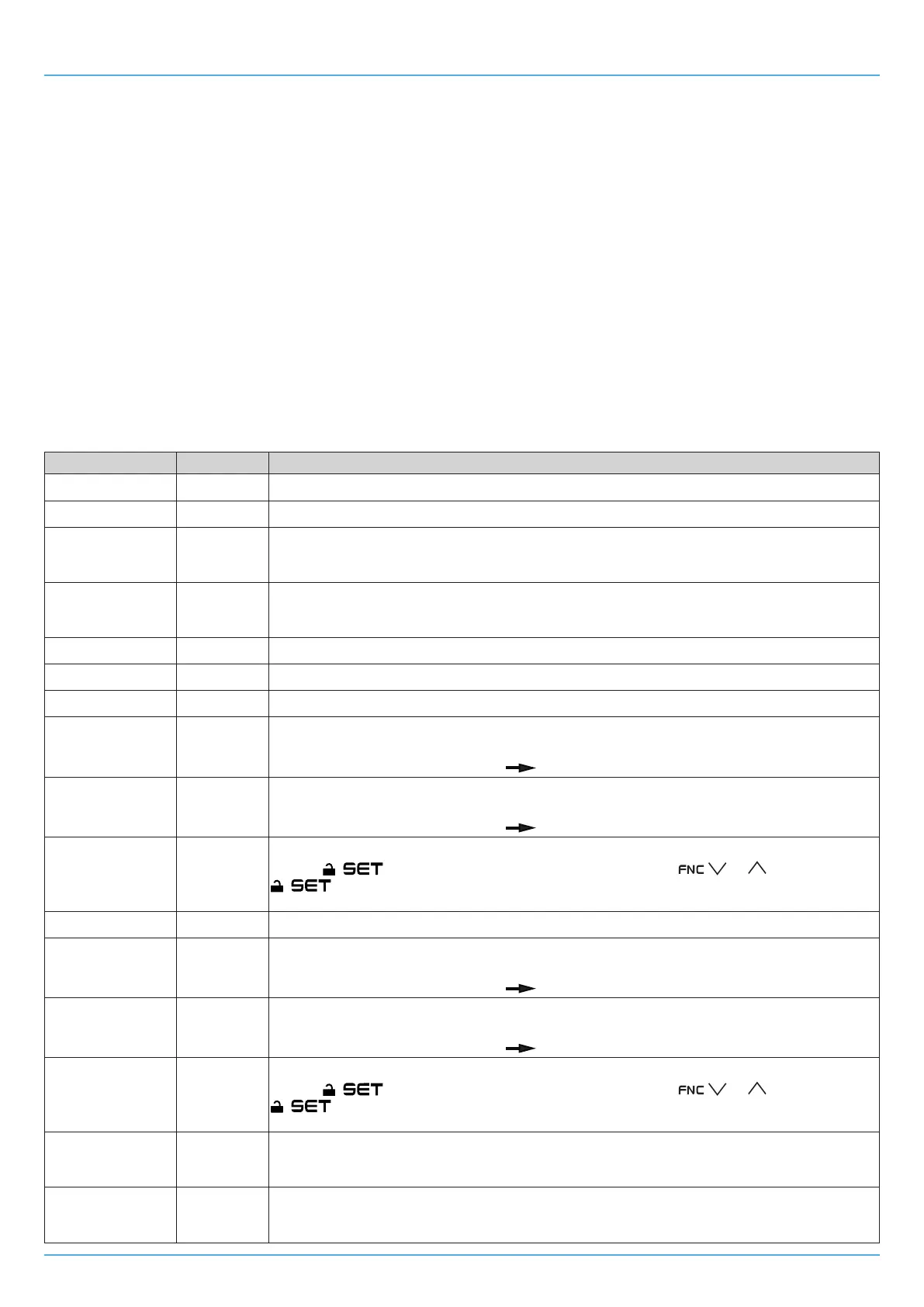
The following is a table with the labels shown on the display and their description:
Top row Bottom row Description
Pb1 sensor value Pb1
IfsensorPb1isconnected,thevaluereadbythesensorisdisplayed.
Pb2 sensor value Pb2
IfsensorPb2isconnected,thevaluereadbythesensorisdisplayed.
Status ID1 di1
Ifconnected,thestatusofthedigitalinputID1 is displayed.
CLo = ID1 closed;
OPn = ID1 open.
Status ID2 di2
Ifconnected,thestatusofthedigitalinputID2 is displayed.
CLo = ID2 closed;
OPn = ID2 open.
Value F0 FAn
The F0 (fan speed) parameter configuration value is displayed.
Value r6 PrM The r6 (maximum steam production) parameter configuration value is displayed.
Mist-makerhours MH
Theoperatinghoursofthemist-makeraredisplayedif≤9999h
Mist-makerhours MHH
Ifthemist-makeroperatinghoursare>9999,theoperatinghoursdataisdividedaccording
to the following logic: (MHHx1000)+MHL.
For example: MHH = 1; MHL = 2956
(1x1000)+2956=12956h
Mist-makerhours MHL
Ifthemist-makeroperatinghoursare>9999,theoperatinghoursdataisdividedaccording
to the following logic: (MHHx1000)+MHL.
For example: MHH = 1; MHL = 2956
(1x1000)+2956=12956h
0 rMH
Resetsthemist-makeroperatinghours.
Tap the
key,enterthepasswordvalue149usingthe or keys,tap
to confirm the reset. On the top row
"----"blinksfor3secondsafterwhich0 is displayed indicating that the reset has been accomplished.
Fanhours FH
Theoperatinghoursofthefanaredisplayedif≤9999h
Fanhours FHH
Ifthefanoperatinghoursare>9999,theoperatinghoursdataisdividedaccordingtothe
following logic: (MHHx1000)+MHL.
For example: MHH = 1; MHL = 5894
(1x1000)+5894=15894h
Fanhours FH L
Ifthefanoperatinghoursare>9999,theoperatinghoursdataisdividedaccordingtothe
following logic: (MHHx1000)+MHL.
For example: MHH = 1; MHL = 5894
(1x1000)+5894=15894h
0 RFH
Resets the fan operating hours.
Tap the
key,enterthepasswordvalue149usingthe or keys,tap
to confirm the reset. On the top row
"----"blinksfor3secondsafterwhich0 is displayed indicating that the reset has been accomplished.
Mist-makeroutput
status
OM
Themist-makeroutputstatusisdisplayed.
OFF=Mist-makeroutputOFF;
ON=Mist-makeroutputON.
Fanoutputstatus oF
The fan output status is displayed.
OFF=FanoutputOFF;
ON=FanoutputON.


 To Next Page