06/2022
| 46 |
924EHUCE4.00 - Mistral Humidier
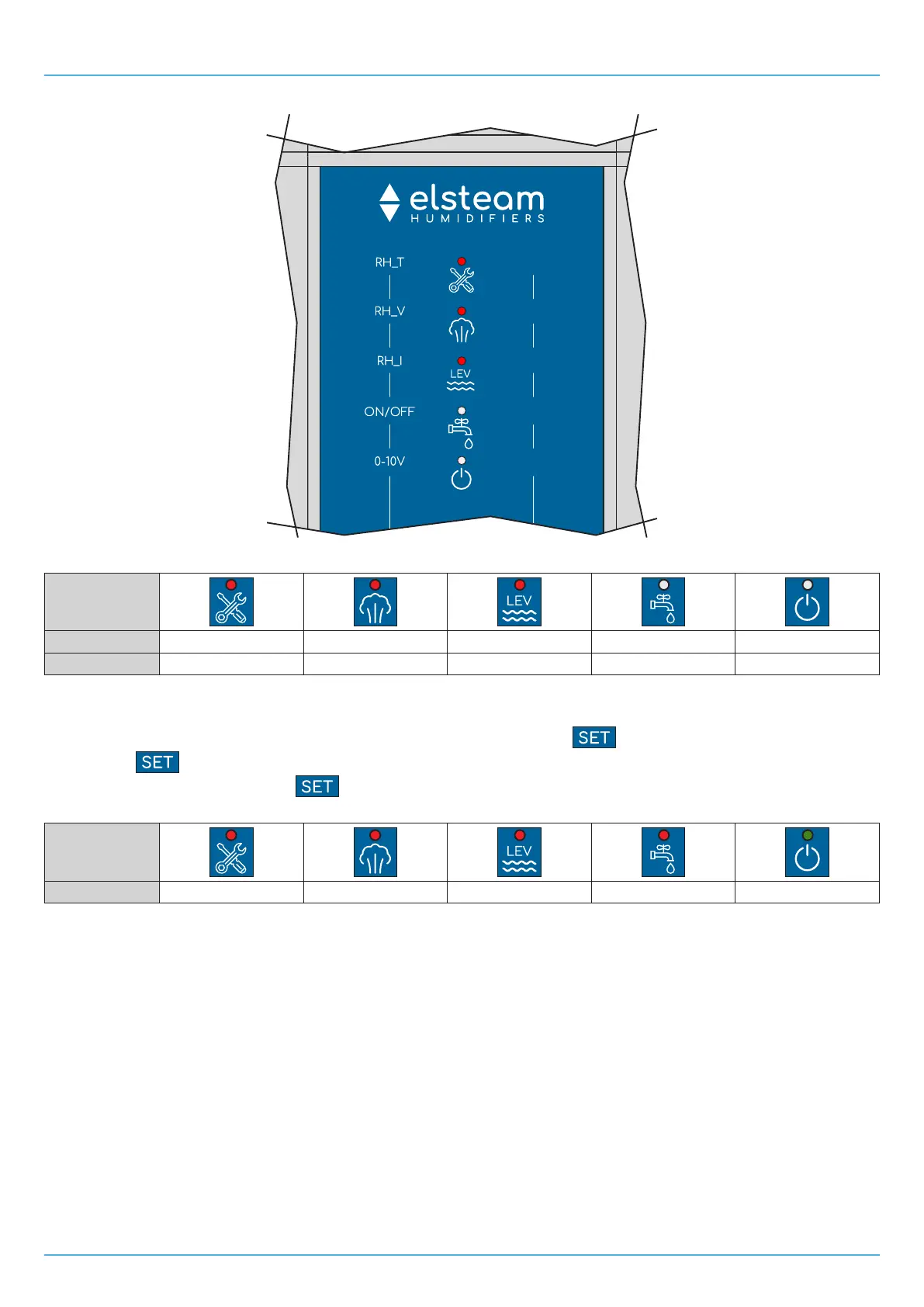
Example 100% Humidity Setpoint:
5
10
20
30
50
Fig. 39. Example of humidity setpoint conguration at 100%
LED
LED ON/OFF ON ON ON OFF OFF
Humidity value 50% 30% 20% --- ---
9.5 MAXIMUM STEAM PRODUCTION CONFIGURATION
Duringnormaloperation,toconfigurethemaximumsteamproductionpressthe button.
Each time the
buttonispressed,thehumidityvalueisincreasedby5%.
Wait 5 seconds after last pressing the
button to exit the procedure and save the new value.
The humidity percentage values corresponding to the lit LEDs are:
LED
Humidity value 50% 30% 20% 10% 5%
9.6 TEMPERATURE SENSOR
A sensor is installed on the board to measure the temperature of the water in the reservoir during normal operation.
The internal temperature sensor is used by the humidifier for any temperature alerts (see "14.1 ALERTS TABLE (LED
INTERFACE)" ON PAGE 60).
If A1=0,thehightemperaturealertisdisabled.
If A1>0,Mistral generates the alert when the temperature detected by the internal sensor exceeds threshold A1 for a time A2.
In this situation the humidifier empties the reservoir and fills it again.
Ifafteremptying,thealertoccursagainwithinatimeA3,ahightemperaturealertissignalled.
If,instead,afteratimeA3,noalertisgenerated,thepreviouseventiscleared.
If A3=0,noemptyingiscarriedoutandthealertisgeneratedimmediately.


 To Next Page