Chapter 4: Upgrading Your Computer
32
Removing the front bezel
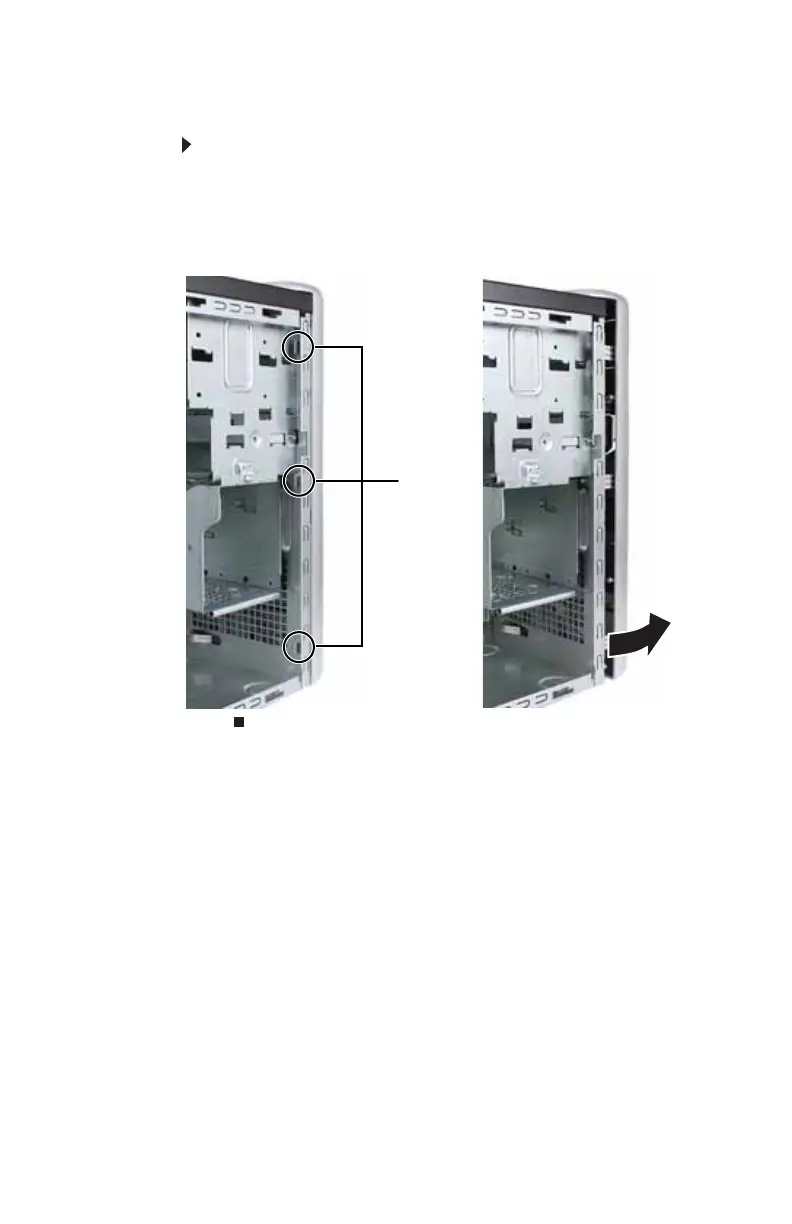
To remove the front bezel:
1 Remove the side panel by following the instructions in
“Removing the side panel” on page 31.
2 Press the three bezel retention tabs, then swing the left
side of the bezel away from the computer and remove it.
Tabs
8512635.book Page 32 Friday, July 27, 2007 11:21 AM















 To Next Page