www.emachines.com
61
Scheduling maintenance tasks
The Scheduled Task Wizard lets you schedule maintenance
tasks such as running Disk Defragmenter and checking your
drives for errors.
To start the Scheduled Task Wizard:
1 Click Start, All Programs, Accessories, System Tools,
then click Scheduled Tasks. The Scheduled Tasks
window opens.
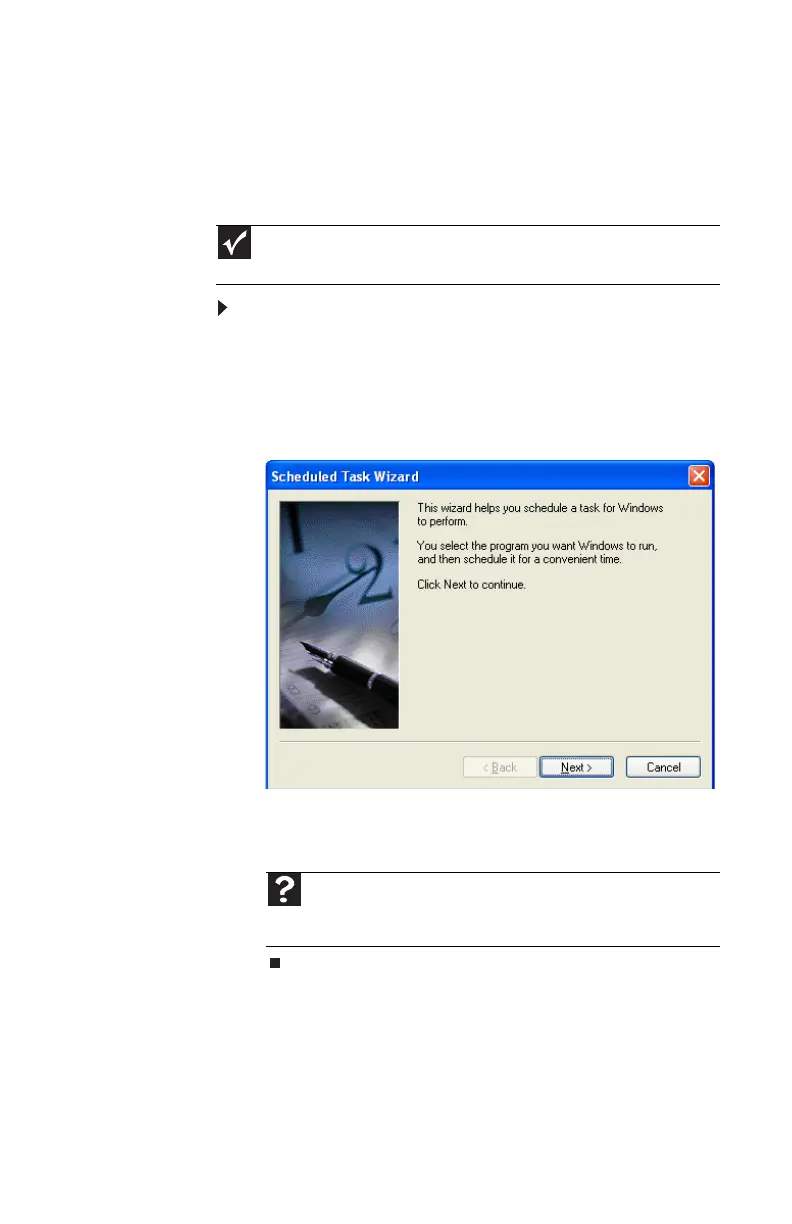
2 Double-click the Add Scheduled Task icon. The
Scheduled Task Wizard opens.
3 Click Next, then click the task or program you want to
schedule and follow the on-screen instructions to
customize the task.
Important
Your computer must be on during scheduled tasks. If your computer is off,
scheduled tasks will not run.
Help
For more information about scheduling tasks, click Start, then
click Help and Support. Type task scheduler in the Search box, then
press E
NTER.
8512635.book Page 61 Friday, July 27, 2007 11:21 AM















 To Next Page