Chapter 4: Upgrading Your Computer
38
Adding or replacing a
hard drive
To add or replace a hard drive:
1 Remove the side panel by following the instructions in
“Removing the side panel” on page 31.
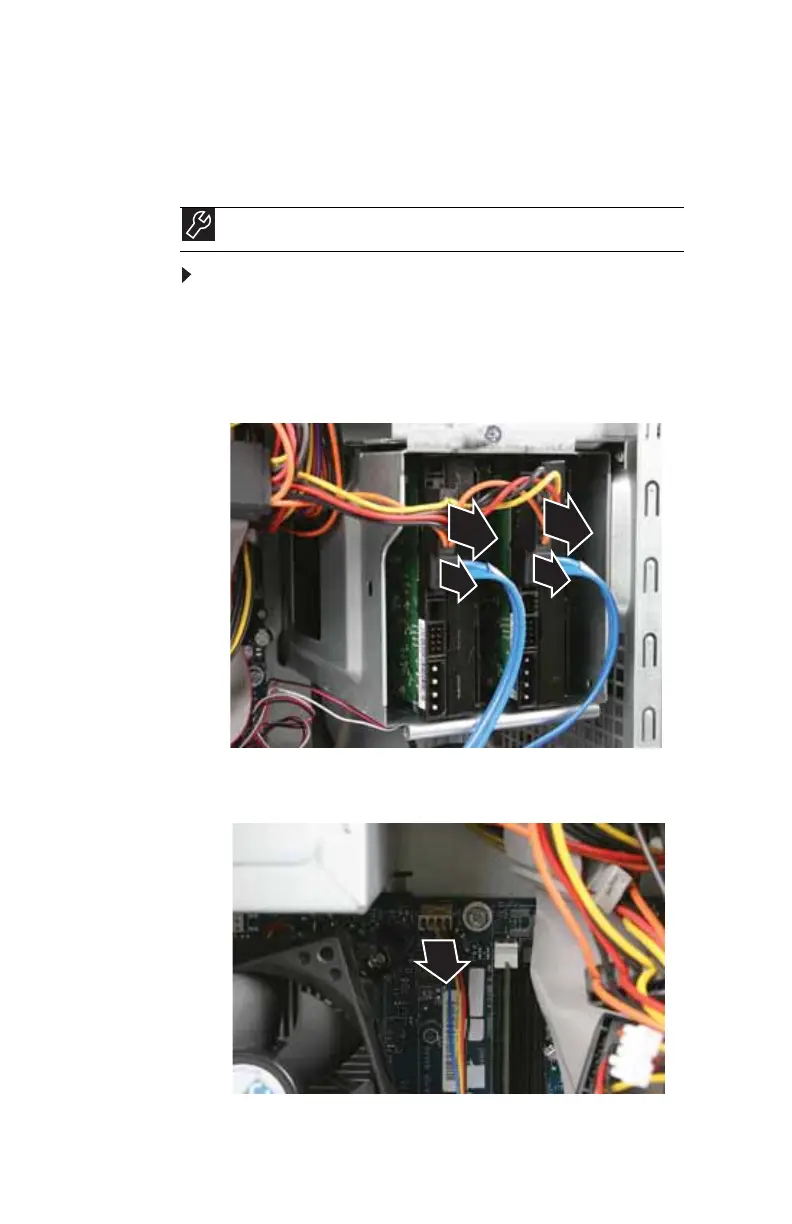
2 Disconnect and label all hard drive cables, noting their
locations and orientation. (You will reconnect the cables
after you install the new drive.)
3 Disconnect the hard drive cage fan cable from the
system board.
Tools
You need a Phillips screwdriver to add or replace a hard drive.
8512635.book Page 38 Friday, July 27, 2007 11:21 AM















 To Next Page