www.emachines.com
39
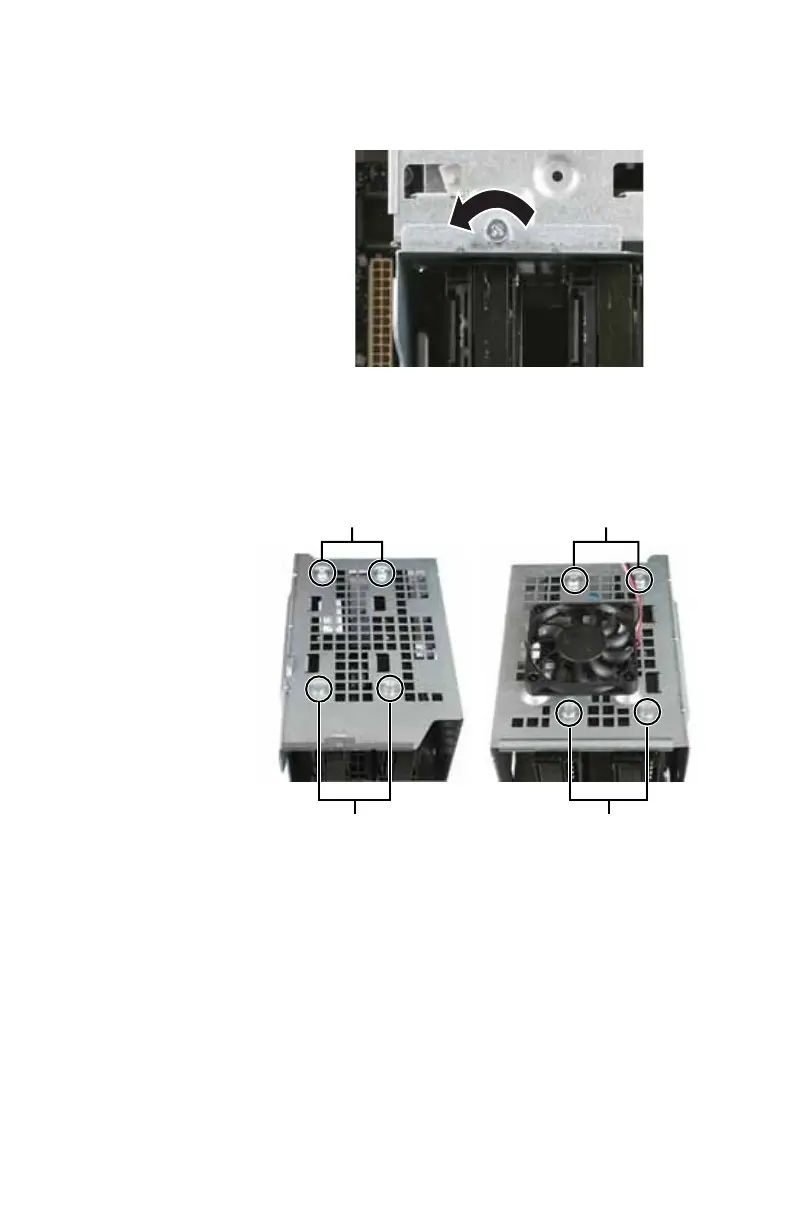
4 Loosen the screw that secures the hard drive cage to the
computer. (This screw cannot be removed.)
5 Remove the hard drive cage from the computer.
6 If you are replacing a drive, remove the screws that
secure the hard drive to the hard drive cage, then slide
the old hard drive out of the cage. Two screws on each
side secure each hard drive to the cage.
7 If you are replacing a drive, note any jumper settings on
the old drive and set the jumper on the new drive to be
the same.
- OR -
If you are adding a new drive, set the jumper as
instructed by the drive’s user guide.
8 Slide the new hard drive into the cage, then secure it to
the cage using either the screws you removed previously
or the mounting screws provided with your new drive.
Hard drive screws (top) Hard drive screws (bottom)
Hard drive screws (top) Hard drive screws (bottom)
8512635.book Page 39 Friday, July 27, 2007 11:21 AM















 To Next Page