www.emachines.com
33
Closing the case
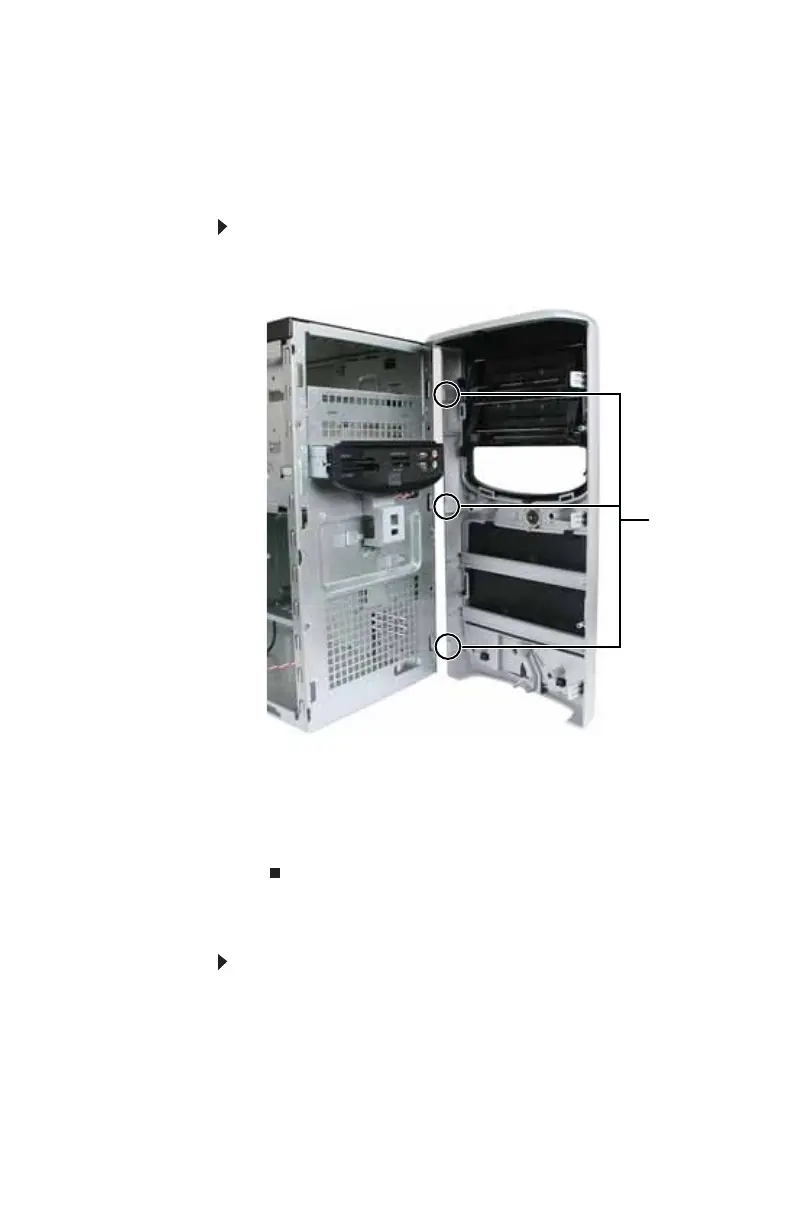
Replacing the front bezel
To replace the front bezel:
1 Slide the tabs on the right side of the bezel into the slots
on the right side of the computer.
2 Swing the left side of the bezel in to insert the release
tabs on the left side of the bezel into the slots on the left
side of the computer.
3 Press the left side of the bezel firmly until the release
tabs snap into place.
Replacing the side panel
To replace the side panel:
1 Make sure that all of the internal cables are arranged
inside the computer so they will not be pinched when
you close the computer.
2 Slide the side panel toward the front of the computer
until the back of the side panel is flush with the back of
the computer.
Tabs
8512635.book Page 33 Friday, July 27, 2007 11:21 AM















 To Next Page