Chapter 4: Upgrading Your Computer
42
8 If this is a new heat sink, remove the strip on the heat
sink that covers the gray thermal grease.
-OR-
If you are re-using a heat sink, carefully scrape or wipe
off the old thermal paste (isopropyl alcohol works well),
then re-apply a small bead of thermal grease (about the
size of a small pea) to the surface that contacts the
processor.
9 Place the heat sink and fan assembly on the processor,
then tighten the screws that secure it to the system
board.
10 Connect the heat sink fan cable to the system board.
11 Replace the side panel by following the instructions in
“Replacing the side panel” on page 33.
Adding or replacing an
expansion card
To add or replace an expansion card:
1 Remove the side panel by following the instructions in
“Removing the side panel” on page 31.
2 If you are replacing an expansion card, disconnect any
cables that are attached to the card, noting their
locations and orientation. (You may need to reconnect
the cables after you install the new card.)
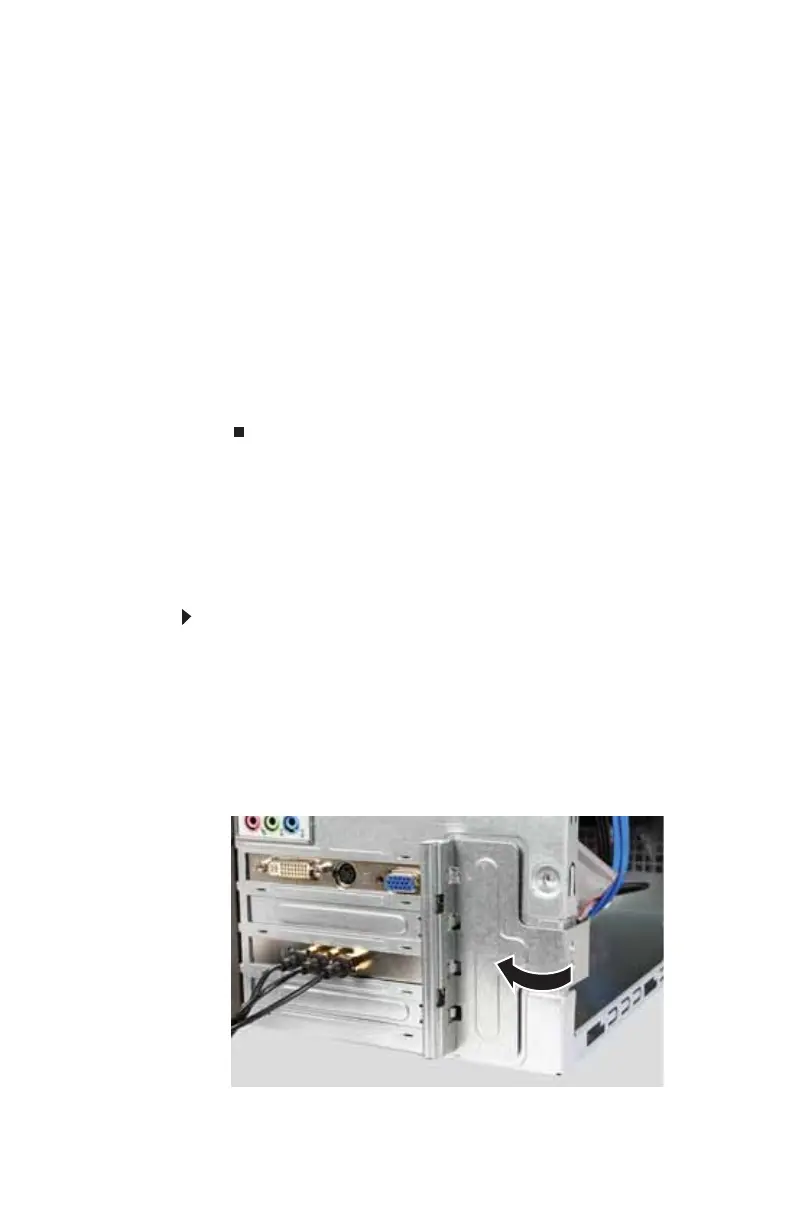
3 Open the card retention lever.
8512635.book Page 42 Friday, July 27, 2007 11:21 AM















 To Next Page