13. ADJUSTING FABRIC FEEDERS
By using the push buttons, you can adjust the fabric feeders for sewing different
types of materials and other special sewing, such as embroidering or darning.
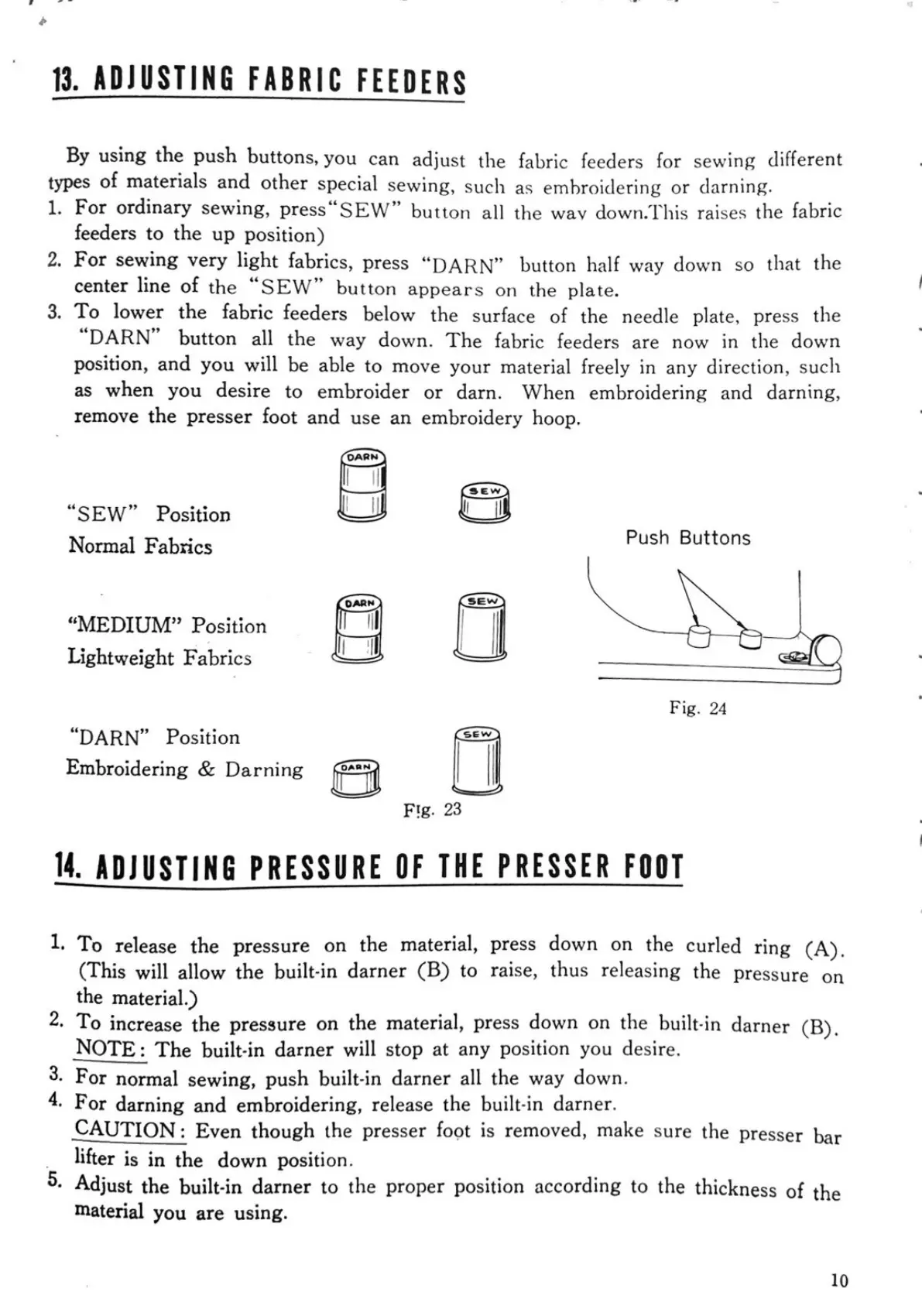
1. For ordinary sewing, press "SEW" button all the way down. This raises the fabric
feeders to the up position)
2. For sewing very light fabrics, press "DARN" button half way down so that the
center line of the "SEW" button appears on the plate.
3. To lower the fabric feeders below the surface of the needle plate, press the
"DARN" button all the way down. The fabric feeders are now in the down
position, and you will be able to move your material freely in any direction, such
as when you desire to embroider or darn. When embroidering and darning,
remove the presser foot and use an embroidery hoop.
"SEW" Position
Normal Fabrics Push Buttons
SEW
"MEDIUM" Position
Lightweight Fabrics
Fig. 24
"DARN" Position
Embroidering & Darning
FIg. 23
14. ADJUSTING PRESSURE OF THE PRESSER FOOT
1. To release the pressure on the material, press down on the curled ring (A).
(This will allow the built-in darner (B) to raise, thus releasing the pressure on
the material.)
2. To increase the pressure on the material, press down on the built-in darner (B).
NOTE: The built in darner will stop at any position you desire.
3. For normal sewing, push built-in darner all the way down.
4. For darning and embroidering, release the built-in darner.
CAUTION: Even though the presser foot is removed, make sure the presser bar
lifter is in the down position.
5. Adjust the built-in darner to the proper position according to the thickness of the
material you are using.
10


 To Next Page