3.1 Establishing a connection
Connect the PC/laptop to the Ethernet 1 (Primary) receptacle on the
gateway using an Ethernet cable.
For DeltaV Ready Gateways, commission the gateway to the Deltav system
first. Proceed to Section 3.5 for updating user information. Section 3.2-3.4
can be ignored for a DeltaV Ready Gateway.
3.2 Windows 10
Procedure
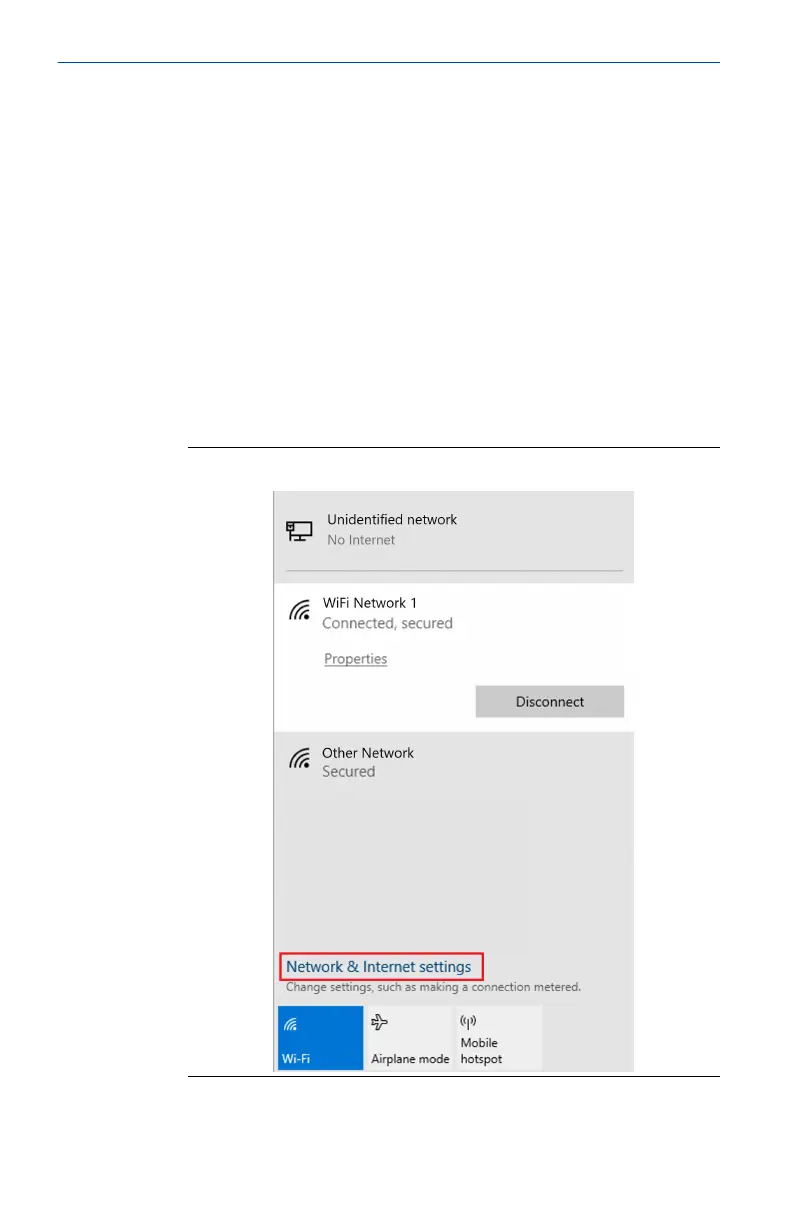
1. Select the network icon in the lower right corner of the Windows 10
workspace.
2. Select the Network & Internet Settings link.
Figure 3-3: WiFi Connections Menu
Quick Start Guide July 2022
10 Emerson.com



 To Next Page
 Loading...



