5
Figure 7
188
8
5/2 Day
7 Day
Set
Temp
Wake
Leave
Return
Sleep
Actual Floor Temp
Backlight
18
88
Auto
Off
Hold
Sensor
:
.
AM
Min
PM
Mo Tu We Th Fr Sa Su
SSSSS
Wood
Tile
Figure 8
Backlight
2
Min
F
Mo
12
00
:
PM
12
00
:
PM
Mo
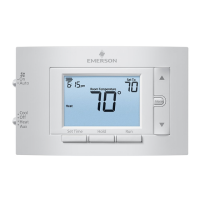
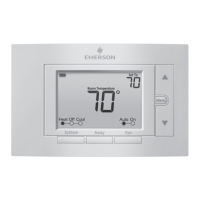
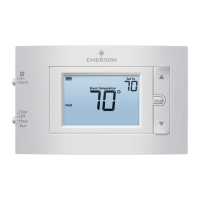
Figure 9 Figure 10
Figure 11 Figure 12
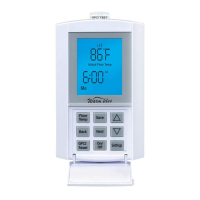
E1. Setting the Time and Day
PresstheSettingsbuttononce,thedisplayis
disabledexcepttheHour,Minute,AMorPMdigits
flash. This signifies that the time is waiting to be
adjusted. See Figure 9.
1. PresstheUporDownbuttontoadjustthehours
andminutes(includingAM/PM).PresstheNext/
Save button once to accept the time setting and
movetotheDaysetting.
2. PresstheUporDownbuttontosettheDay–the
“Day”symbolflashes–SeeFig.10.PresstheUp
orDownbuttontosettheday.Youcannow
AdvancetoNextMenuorExitWithoutSavingor
SaveandExit.
E2. Other Settings
1.IntheUnitsmenu,thepreviouslyselected
temperatureunitsflash(ForC).SeeFig.11.Press
theUporDownbuttontochangeunits.
2.IntheProgrammenu,youcanselecteither5/2
or7Daymode.(Youcanalsochangethedetails
of the automatic program for each mode – see
SectionH).UseUporDownbuttonstoselect
mode.
3.IntheBacklightmenu,youcanchangethe
time that the backlight stays on after the last
button is pressed – options are 2 minutes or On
continuously.UseUpordownbuttonstoselect.
4. In the Floor Type menu, you can select the type
of flooring (Tile or Wood) for your application.
F. Temporary and Permanent - Floor
Temperature Settings
Temporary - At any time when the thermostat is in
theONposition(AutomodeiconwillshowonLCD),
the setpoint temperature setting can be temporarily
changed.BypressingeithertheUPorDOWN
button once, the floor temperature digits will flash.
PresstheUPorDOWNbuttonagaintoobtainthe
desiredtemperature.PresstheHoldbuttononceto
temporarily save the setting. When the buttons are
not pressed for four seconds, it will automatically
save the last setting. The thermostat will use the new
temporarytemperaturesettinguntilthenextevent
timeisreached.TheAutoperiodicon(Wake,Leave,
Return or Sleep) and Hold will flash slowly.
Permanent – After adjusting the setpoint temperature
as noted above in “Temporary” section, the new
setpoint can be made permanent by pressing the
Hold button a second time. The Hold icon will show
on the display and will not flash. The Auto icon will
not be displayed. To disable the permanent hold
function, simply press the Hold button once again
– the thermostat returns to Auto mode and the
setpoint temperature will be in accordance with the
AutomaticProgram.
G. Personalizing Your Floor Comfort Schedule
The FGS series thermostats offer two programming
modes to personalize your floor comfort and
maximizeenergysavings.Thefirstprogrammodeis
the5/2Daymode,whichgroupsMonday–Friday
asthe“5”groupandSaturdayandSundayas
the “2” group. The second program mode is the
7Daymode,whichallowsyoutoprogrameach
day individually to suit your specific schedule. Each
programmodeallowsfouruniquetime/temperature
settings(“events”).Usually,youwouldselectthe
programmodethatbestsuitsyourschedule.(Hint:It
iseasierandquickertomodifythe5/2Dayprogram
thanthe7Dayprogram,sochoosethe5/2Dayifit
better suits your schedule.)
Boththe5/2Dayand7Daymodesarepre-
programmed, as noted in “Quick Start” above.
Theseprogramsareeasilymodified,asexplainedin
the appropriate sections below.
Priortomodifyingtheseprograms,youshould
consider that floors take time to heat up and cool
downtotheirsettemperatures.Keepinmindthat
you may want to set the Floor Temp about one
hour before you want the floor to be warm, this
allows adequate heat up time. Conversely, you
can set the Floor Temp to decrease about one hour
before you want the floor to reach its cool down
temperature.


 To Next Page
 Loading...