6
Mostfloorsfeelcomfortablebetween80°F(27°C)
and86°F(30°C).Foravarietyofreasons,incertain
installations the comfortable temperature may
be above or below this range; this is normal. The
maximumsettingonthethermostatis104°F(40°C)In
most installations it is unlikely that the floor will ever
reach this temperature.
H. Modifying/Viewing the 5/2 Day Mode
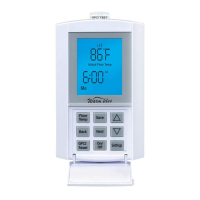
1.Toenterthe5/2Dayprogram,presstheEvent/
Programbuttononce,theLCDdisplaysegmentswill
bechangedasperFigure15shown,theHourdigits
andAMdigitswillflash.
2.PresstheUporDownbuttontosettheWakeHour.
A single press of the button moves the setting by
every 10 minutes step, changing hour, min and the
AMPMsections.IftheUporDownbuttonispressed
down, the time will begin to scroll through the time
settings at 10 minute intervals. Once the correct
timeisdisplayed,presstheNext/Savebuttononce.
3. The Setpoint temperature digits will start to flash,
seeFigure16.PresstheUporDownbuttontoset
theSetpointtemperature.PresstheBack/Cancel
button once to go back to the Wake time setting.
PresstheNext/Savebuttononcetoacceptthe
correct Setpoint termperature setting and then it will
continuetothenexteventsetting.
4.TheprogramwillthenadvancetotheLeave
settings.ThestepsforprogrammingtheLeave,
Return and Sleep settings are the same as for the
Wake settings. Repeat steps 2-3 for each.
5.TheprogramwillthenadvancetotheWakesetting
fortheWeekendDays.The“SaSu”iconwillreplace
the“MoTuWeThFr”icon.Programmingforthe
WeekendvalueoftheWake,Leave,Returnand
Sleep, follow the same patterns as described in
steps 2-3 above.
6. At the completion of the “Weekend - Sleep”
settings, the thermostat automatically saves the
entered values, and begins operating to the
programmed time and temperature settings.
Duringtheabovesteps,theprogramcanbesaved
atanytimebypressingtheNext/Savebuttonfortwo
seconds. If no key input is received for 90 seconds,
85
f
5/2 Day
Set
Temp
Wake
Actual Floor Temp
6
00
Auto
:
.
AM
88
F
5/2 Day
Leave
Actual Floor Temp
8
00
Auto
:
.
AM
S
S
S
S
Backlight
2
Min
Figure 13 Figure 14 Figure 15
85
f
5/2 Day
Set
Temp
Wake
Actual Floor Temp
6
00
Auto
:
.
AM
Mo Tu We Th Fr
--
5/2 Day
Leave
8
00
Auto
Sensor
:
AM
We
88
F
7 Day Leave
Actual Floor Temp
8
00
Auto
:
.
AM
We
S
SS
Figure 16
Figure 17 Sensor Icon
orOn/Offbuttonispressedtootherposition,the
programwillexitthe5/2Daysettingmodesavingany
of the changes that have been accepted.
I. Modifying/Viewing the 7 Day Mode
1.Toenterthe7Dayprogram,presstheProgram
buttononce,theLCDdisplaysegmentswillbe
changedtoasperFigure15shows.TheHourdigits
andAMdigitswillflash.
2.PresstheUporDownbuttontosettheWakeHour.
A single press of the button moves the setting by
one10minutestep,iftheUporDownbuttonisheld
down, the time will begin to scroll through the time
settings at 10 minute intervals. Once the correct
timeisdisplayed,presstheNext/Savebuttononce.
3. The Setpoint temperature digits continue to
flash,seeFigure16.PresstheUporDownbutton
tosettheSetpointtemperature.PresstheBack/
Cancel button once to go back to the Wake time
setting.PresstheNext/Savebuttononce,anditwill
continuetothenexteventsetting.
4.TheprogramwillthenadvancetotheLeave
settings.ThestepsforprogrammingtheLeave,
Return and Sleep settings are the same as for the
Wake settings. Repeat steps 2-3 as above.
5.Theprogramwillthenadvanceto‘Tu’andwill
copyallthe‘Mo’settingsto‘Tu’andtoallother
days. If these settings are to be used for every day,
youcansimplypresstheNext/Savebuttonfortwo
seconds at this time and the settings will be saved
andexittheprogrammingmode.
6. Alternatively, you can continue to cycle through
theWake,Leave,ReturnandSleepsettingsand
simply“edit”asrequiredbyusingtheUporDown
buttons when the setting is flashing and continue
throughtheweeksequentiallyuntil‘Su’settingsare
completed.
7. At the completion of the “Su - Sleep” settings, the
thermostat automatically saves the entered values
and begins operating to the programmed time and
temperature settings.


 To Next Page
 Loading...