EasyManua.ls Logo

Emerson PRO II Series - User Manual

Emerson PRO II Series
24 pages
Print Icon
To Next Page IconTo Next Page
Loading...
Questions, problems, missing parts: Before returning to the store call
Emerson Electric Customer Service - 8 a.m. - 6 p.m., Eastern, Monday-Friday
Part No. F40BP72580009 Form No. BP7258-9
Revision: 150605 U.L. Model No.: 42-ANT & 52-ANT
www.emersonfans.com
CF710BS02
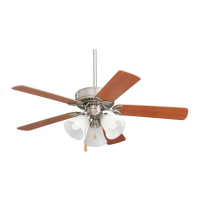
Brushed Steel
CF710ORB02
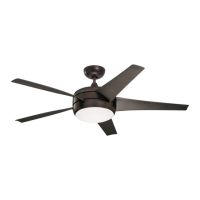
Oil Rubbed Bronze
CF710WW02
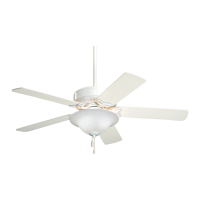
Appliance White
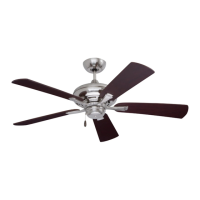
42” PRO Series II
Model Numbers
CF711AB02
Antique Brass
CF711BS02
Brushed Steel
CF711ORB02
Oil Rubbed Bronze
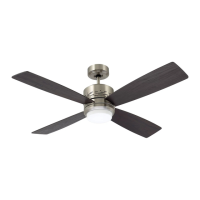
50” PRO Series II
Model Numbers
Net Weight: 16.5 Lbs.
Net Weight: 19.8 Lbs.
READ AND SAVE THESE INSTRUCTIONS
1-800-654-3545
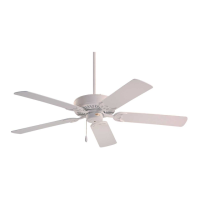
PRO SERIES II
Ceiling Fan Owner's Manual
CF711ORS02
Oil Rubbed Bronze
with Scavo Glass
CF711WW02
Appliance White
CF711 shown
• Español - página 25
• Français - page 49

Questions and Answers

  • J
    James BartonJul 29, 2025
    Why is my Emerson PRO II Fan so noisy?
    • S
      Sharon SmithJul 29, 2025
      If your Emerson Fan is making unusual noises, here are a few things to check: * Ensure the blades are properly attached to the fan. * Tighten any loose screws that secure the fan blade flanges to the motor hub. * Check the wire connectors inside the switch housing to ensure they are not rattling against each other or the housing's interior wall. * If you're using a solid-state variable speed control, it may be causing motor noise. Consider using an alternative control method. * Also, make sure the screws holding the blades to the flanges are securely tightened.
  • J
    joshua67Aug 8, 2025
    How to fix an Emerson PRO II that wobbles?
    • R
      Richard PerezAug 8, 2025
      If your Emerson Fan is wobbling excessively, try the following: 1. Tighten the setscrews in the motor coupling. 2. Tighten the setscrew in the hanger ball/downrod assembly. 3. Check and tighten the screws securing the fan blade flanges to the motor. 4. Ensure the fan blade flanges are seated firmly and uniformly to the surface of the motor. 5. Tighten the hanger bracket screws to the outlet box and/or secure the outlet box. 6. Try interchanging an adjacent blade pair to redistribute the weight.
  • D
    Dr. Richard TorresAug 18, 2025
    What to do if my Emerson PRO II will not start?
    • E
      Emma RodriguezAug 18, 2025
      If your Emerson Fan won't start, here are some things to check: * Inspect the main and branch circuit fuses or circuit breakers. * Examine the line wire connections to the fan and switch wire connections in the switch housing to make sure they are secure. * Ensure the reversing switch is fully engaged to one side.

Summary

Safety Instructions

General Fan Operation Safety

Essential safety precautions for operating the ceiling fan.

Installing Hanger Ball;Downrod Assembly

Installing Ceiling Cover (Close-to-Ceiling)

Hanging the Ceiling Fan

Mounting the Hanger Bracket

Instructions for securely attaching the hanger bracket to the outlet box.

Standard Mounting Procedure

Steps for seating the hanger ball into the hanger bracket for standard installation.

Hanging Fan (Close-to-Ceiling Method)

Securing Fan Using Hanger Hook

How to pass the hanger bracket hook through the ceiling cover for temporary support.

Wiring the Ceiling Fan

Connecting Ground and Neutral Wires

Guide to connecting ground and white supply wires to the fan motor.

Connecting Hot Wires and Wire Routing

Instructions for connecting black/blue fan wires and organizing leads into the outlet box.

Installing the Ceiling Cover

Installing Fan Blades

Attaching Blades to Flanges

Instructions on mounting blade flanges to fan blades using screws.

Securing Blades to Motor Hub

How to attach the complete blade assemblies to the fan's motor hub.

Light Fixture Installation and Removal

Accessories and Troubleshooting

Troubleshooting Common Issues

Addresses common fan problems like not starting, noise, or wobbling with suggested solutions.

Emerson PRO II Series Specifications

General IconGeneral
BrandEmerson
ModelPRO II Series
CategoryFan
LanguageEnglish

Related product manuals