Screen
compo
nent
Description of use
F Any configuration information that needs to be entered or reviewed will
appear in this portion of the screen.
G These menus navigate to the Configure Flow, Basic Setup, Device,
Variables, Calibration, and Save/Send Configuration tabs.
H These buttons navigate to Config/Setup, Device Diagnostics or Process
Variables sections.
6.2 Launch Engineering Assistant 6.1 or later
About this task
Flow configuration for the Rosemount 3051SMV is achieved by launching the
Engineering Assistant software from the Start menu.
Procedure
1. Select the Start menu > All Programs > Engineering Assistant.
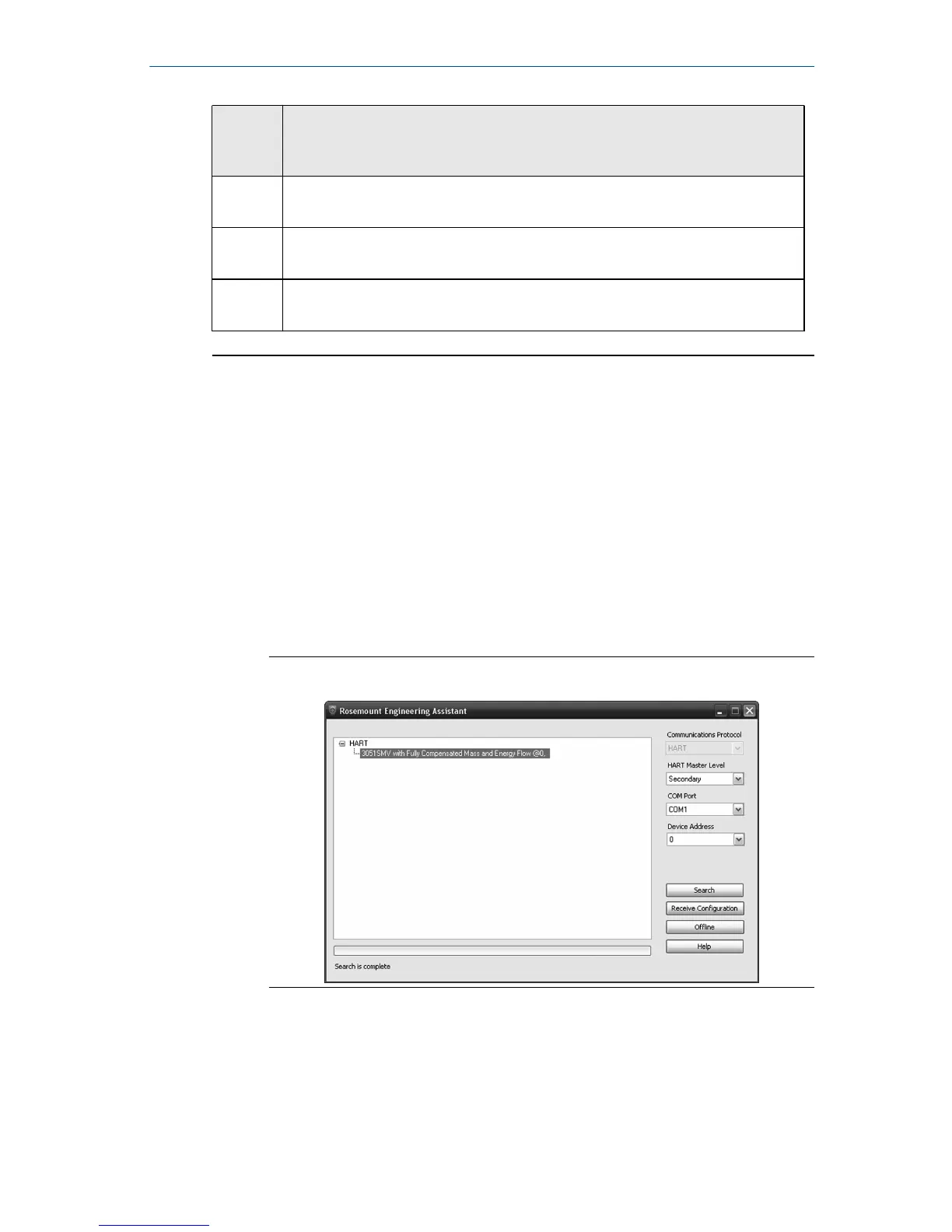
Engineering Assistant will open to the screen shown in Figure 6-2.
2. Select Offline button located in the lower right hand corner of the
screen shown in Figure 6-2.
Figure 6-2: Engineering Assistant Device Connection Screen
October 2018 Quick Start Guide
Quick Start Guide 19



 To Next Page
 Loading...





