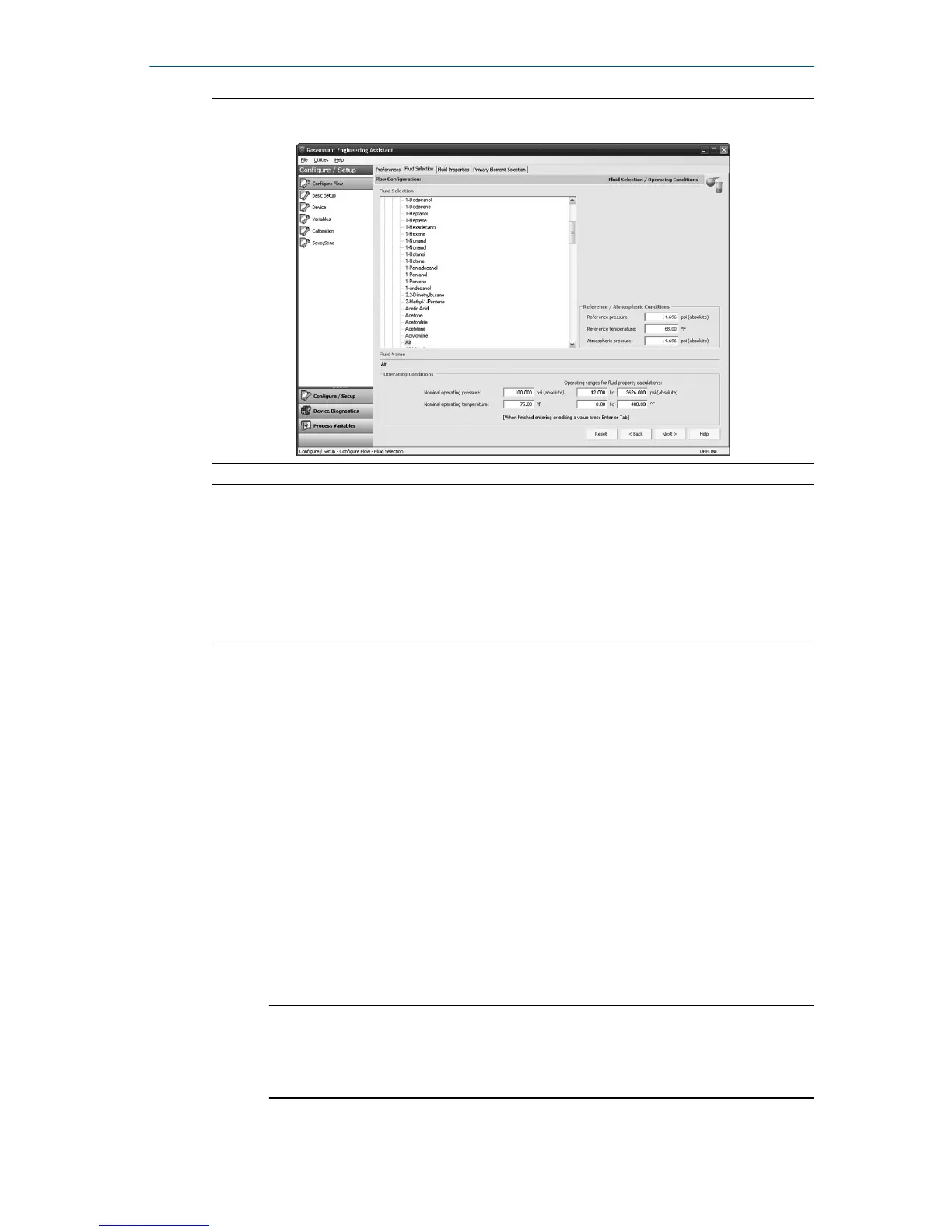
Figure 6-4: Fluid Selection Tab
Note
The following example will show a flow configuration for the database gas air
used with a Rosemount 405C Conditioning Orifice Plate as the primary
element. The procedure to set up any other fluid with any other primary
element will be similar to this example. Natural gases, custom liquids, and
custom gases require additional steps during the configuration. See the
Rosemount 3051SMV Reference Manual for more information.
Procedure
1. Engineering Assistant may open to the Preferences tab. Using the tabs
at the top of the screen, navigate to the Fluid Selection tab.
2. Expand the Gas category (click on the + icon).
3. Expand the Database Gas category.
4. Select Air from the list of database fluids.
5. Enter the Nominal Operating Pressure, select the Enter or Tab key.
6. Enter the Nominal Operating Temperature, select the Enter or Tab key.
Engineering Assistant will automatically fill in suggested operating
ranges, as shown in Figure 6-4. These values may be edited as needed
by the user.
7. Verify the Reference/Atmospheric Conditions are correct for the
application. These values may be edited as needed.
Note
Reference pressure and temperature values are used by Engineering
Assistant to convert the flow rate from mass units to mass units
expressed as standard or normal volumetric units.
October 2018 Quick Start Guide
Quick Start Guide 21



 To Next Page
 Loading...





