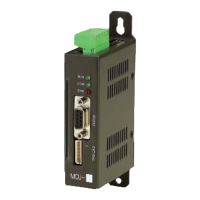
MOTION CONTROLLER MCU
I.
Installation Considerations
①
Place the product at least 100mm away from the wall to ensure easy accessibility for
maintenance and ventilation.
②
Do not install it in the following installation environment.
- Places with the surrounding temperature beyond the range between 0 and 50
℃
or
operating panel where high-voltage equipment is installed.
- Places with a strong and direct shock to the main body on a constant basis.
II.
Power Wiring
①
The input power supply is DC24V (allowable range 24V +/ 10%).
②
It is recommended to install a separate captive power supply equipment if the product is
installed in an environment with a frequent change in voltage.
③
Anti-noise measures such as filter installation should be taken against power supply with
excessive noise.
④
Separate the power supply of the main body from the input/output lines of PLC, and power
supply lines from the system.
⑤
The telecommunication input/output lines must be installed separately from the power
supply lines.
III. Grounding
①
Apply the dedicated grounding. Conduct type-3 grounding work as illustrated in the
picture below with the grounding cable 2
㎟
or longer.
②
Place the grounding point near the main body and make the length of grounding cable
short.
Control l er
The3rd T


 To Next Page