If you are unable to get anything except 2 red sensors, add saline to the reference and other
sensors, or try the alternate reference locations – swap the reference sensors with the rubber
comfort pads located directly behind the ears, making sure the reference sensors contact directly
onto the bare skin on the bony bump.
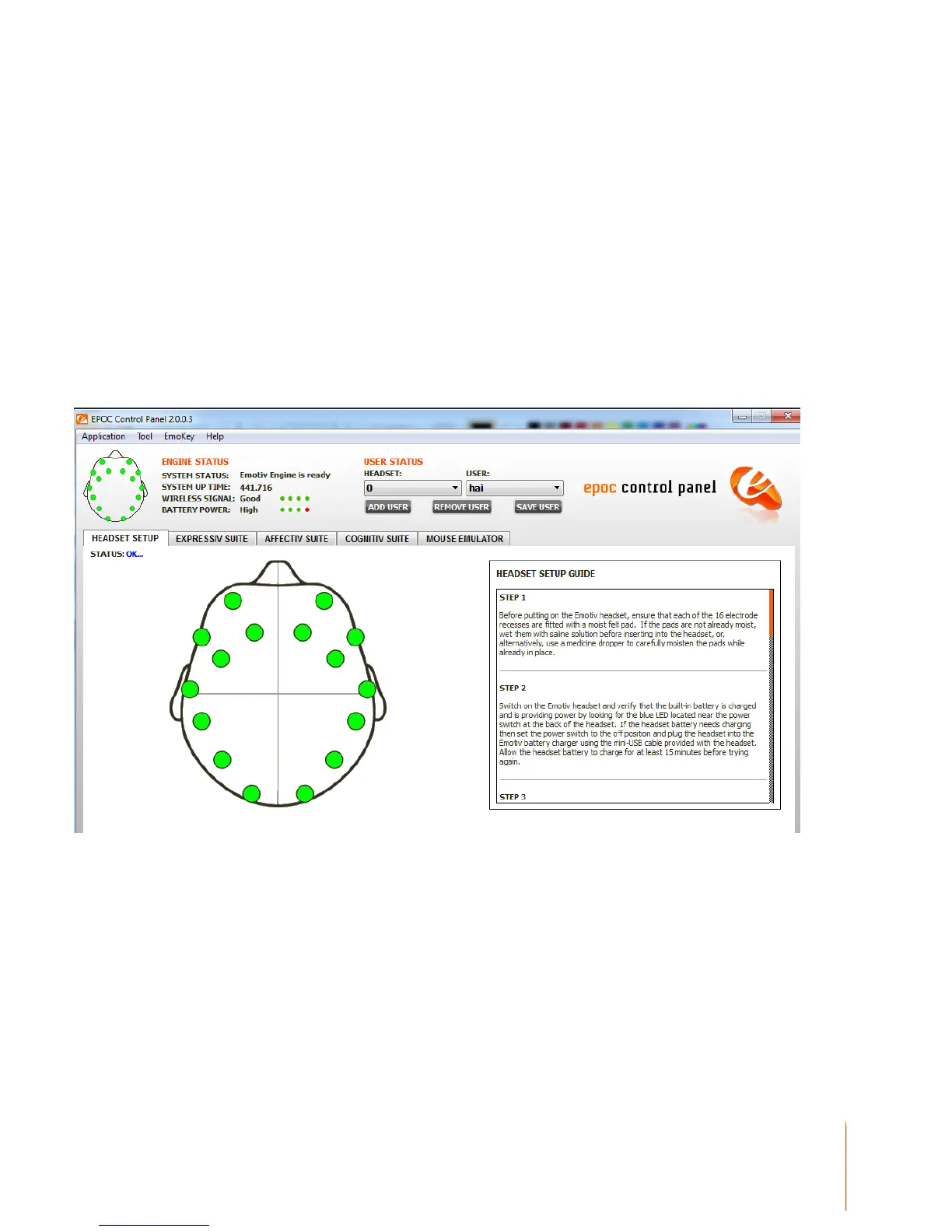
Signal Quality Screen
Your objective is to achieve as many green lights as possible using the EPOC Control Panel and
adjusting the position of the various arms accordingly. (See full User Manual Document contained
on the CD for detailed instructions) Note that the EPOC will still function with some sensor locations
showing yellow or orange, and will even cope with a few red or black however the detections will be
less reliable in this state. Often the contact quality will gradually improve after a few minutes use, so
don’t be too discouraged if setup is not perfect at first.


 To Next Page