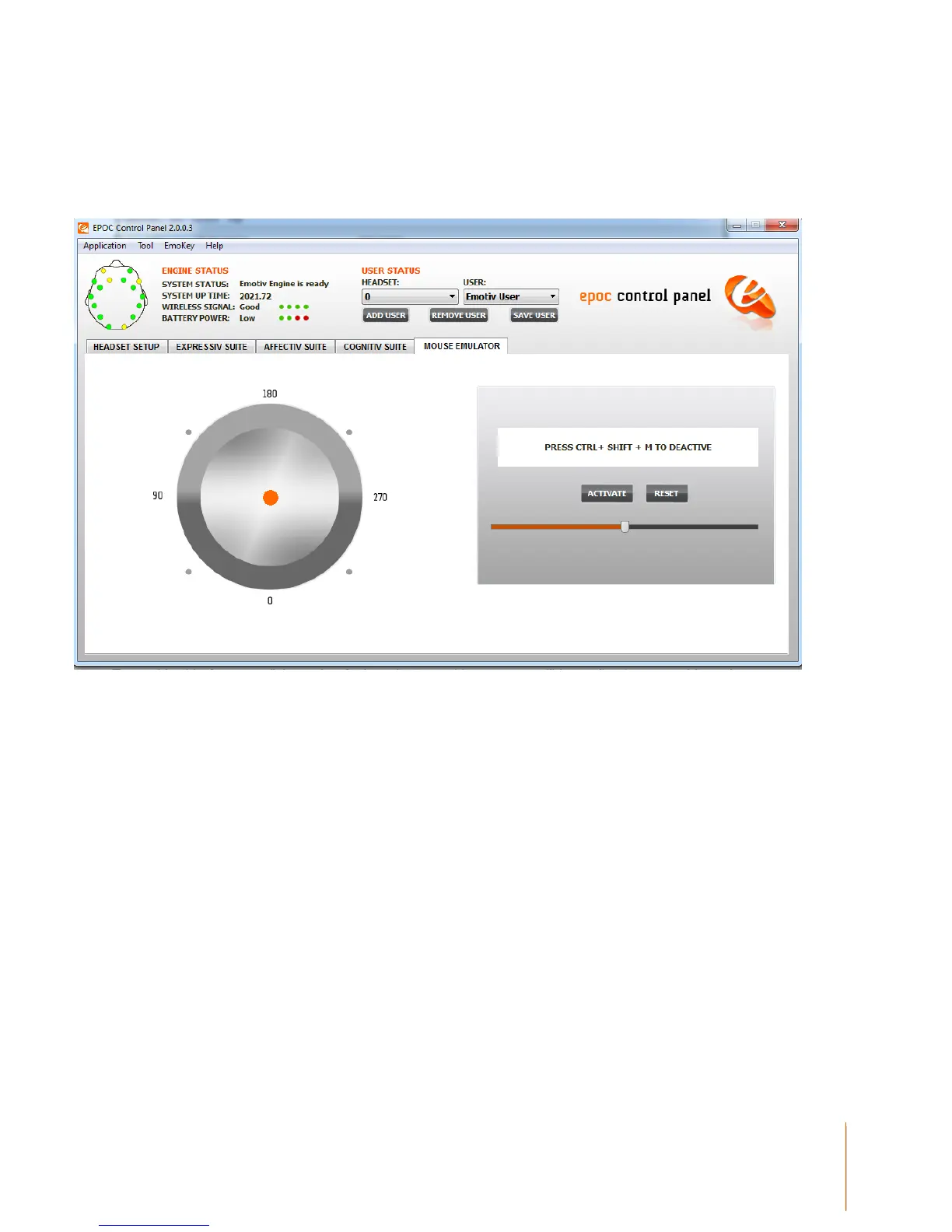
The left side of the Mouse Emulator Tab provides a visual representation of the gyroscope’s relative
position. The right side of the Mouse Emulator Tab provides the controls to activate and deactivate
this feature along with a slider bar to make sensitivity adjustments.
Figure 17 Mouse Emulator Tab
3.4.2 Mouse Emulator Controls
To enable this feature, click on the Activate button. Your mouse will immediately respond based
on the movement of your head. Simply turn your head from left to right, up and down. You will also
notice the orange indicator dot move in accordance with the movement of your head/gyroscope.
The Mouse Sensitivity slider allows you to adjust the sensitivity of the gyroscope when controlling
your mouse cursor. The Reset button allows you to re-centre your position.
To deactivate this feature, use your head movement to move your cursor to the Deactivate button
and left mouse click, or Press CTRL+SHIFT+M.


 To Next Page