3.1 Expressiv™ Suite
The Expressive Suite details the facial expressions and non-verbal communication capabilities of
the EPOC Neuroheadset. No longer do you need to push a button or type in emoticons into a chat
dialog box during game-play. Now, if you want to show facial expressions on your avatar, you need
only perform them while wearing the EPOC neuroheadset and you can display these expressions
on the face of your avatar.
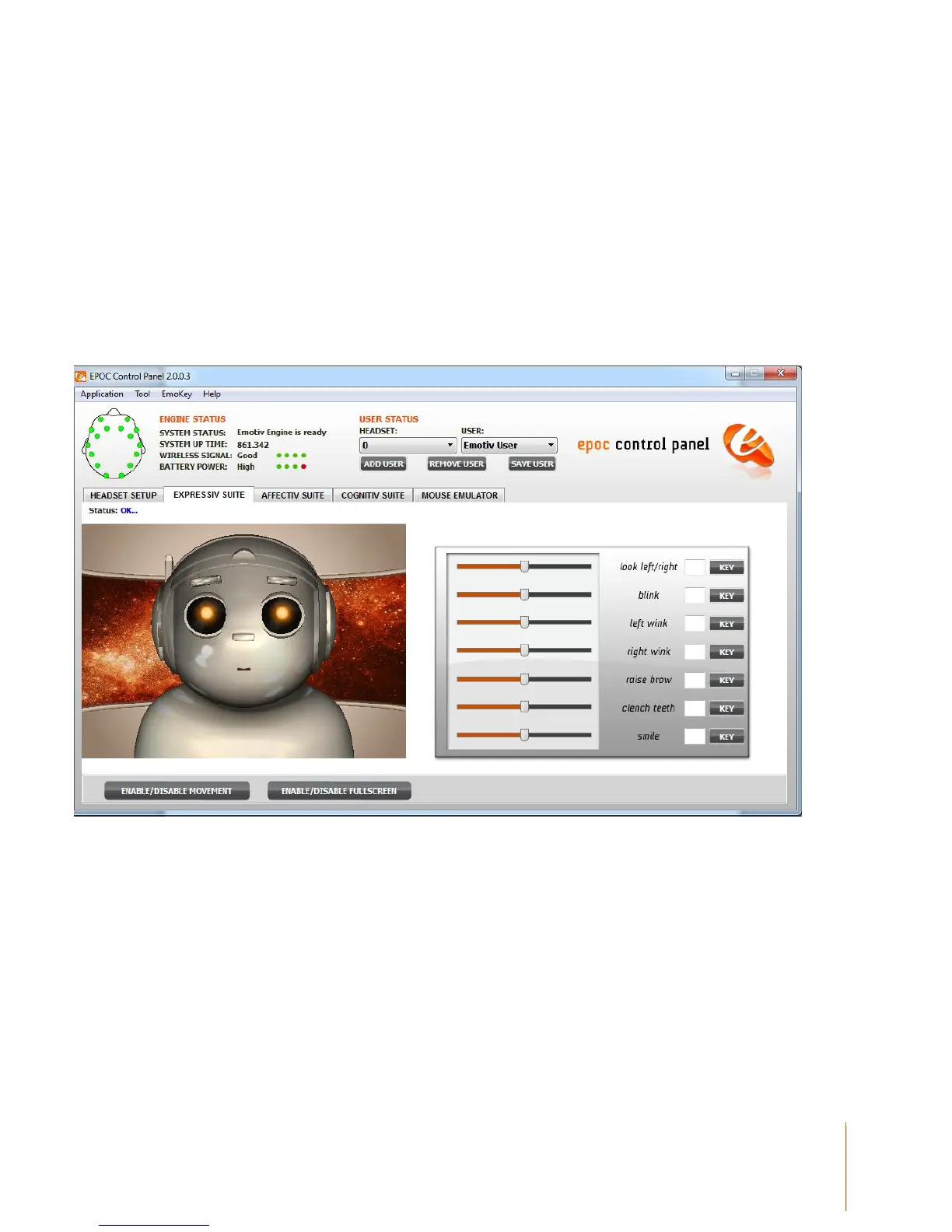
Figure 5 Expressiv Suite
3.1.1 Understanding the Expressiv Suite Panel Display
On the left-hand side of the Expressiv Suite panel is a simple avatar. The avatar will mimic your
facial expressions, in camera view (i.e. not mirrored). The facial expressions which are displayed
include horizontal eye movements to the left and right, normal eye blinks, left and right sided winks,
clenching the teeth and smiling.,


 To Next Page