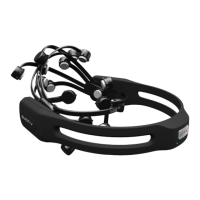
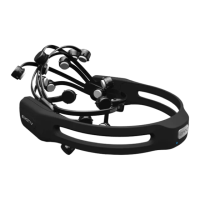
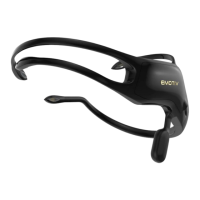
above your ears and as close to your hairline as possible. Adjust the fit so that the rectangular
compartments at the front ends of the headband sit comfortably just above and behind your ears.
Tilt the neuroheadset so that the two lowest, front-most sensors are symmetric on your forehead
and positioned about 2 to 2.5 inches above your eyebrows. Finally, check that all sensors are
touching your head and, if not, then fine tune the neuroheadset fit by gently sliding the
neuroheadset in small increments until an ideal fit has been achieved.
STEP 5: Starting with the two sensors just above and about an inch (25mm) behind your ears
(these are reference sensors for which good contact with your scalp is essential), adjust the
sensors so they make proper contact with your scalp (i.e. show green on the contact quality
display). If the indicators are:
Black: Check that the sensor has a felt pad fitted. Check that the felt pad is pressing firmly against
your scalp. Then try re-moistening the felt pad. If problems persist, this may indicate a problem with
the EPOC Neuroheadset.
Yellow, Orange, or Red: The sensor has not established a good conductive path with your scalp.
Check that the felt pad is making comfortable, yet firm, contact with your scalp. Try shifting the
neuroheadset slightly back and forth on your head, or press gently on the troublesome sensor to
improve contact. If the contact is adequate, ensure that the felt pad is moist. If the sensor’s indicator
color becomes lighter, the signal quality is improving. If the sensor’s indicator color is getting darker
the signal quality is deteriorating. If problems still persist, try parting the hair in the vicinity of the
electrode so the felt pad touches your scalp.
See the TROUBLESHOOTING GUIDE at the end of this manual for more details on how to deal
with poor contact.
STEP 6: Repeat Step 5 for each of the remaining sensors until all of the sensors have adequate
contact quality (i.e. are predominantly showing green).
If at any time the reference sensors (located just above and behind your ears) no longer have a
good connection (i.e. they show RED, and most or all of the other sensors turn BLACK),
immediately restore these sensors to green before proceeding further. Try the alternative reference
locations behind the ears if you continue to have difficulty with the primary locations (Section 2.5).


 To Next Page