eMKW-TD0054-21- Page 9
● 2 USB ports (response button can be plugged into one ear cup if necessary)
If a USB hub is required, please ensure it adheres to the following specifications:
● Self-powered (it must have its own power supply from an electrical wall plug)
● Supplies 5 Volts and 1 Amp per port
● USB 2.0
● at least 3 ports available for the KUDUwave connections (Left cup, Right cup and Response
Button)
● A USB Hub cannot be used with the KUDUwave Pro TMP. Consult support if you require one.
Software Installation
If your KUDUwave controller PC was professionally configured by eMoyo, all the necessary software will
already be installed. Should this not be the case, or should you wish to install the software on more than
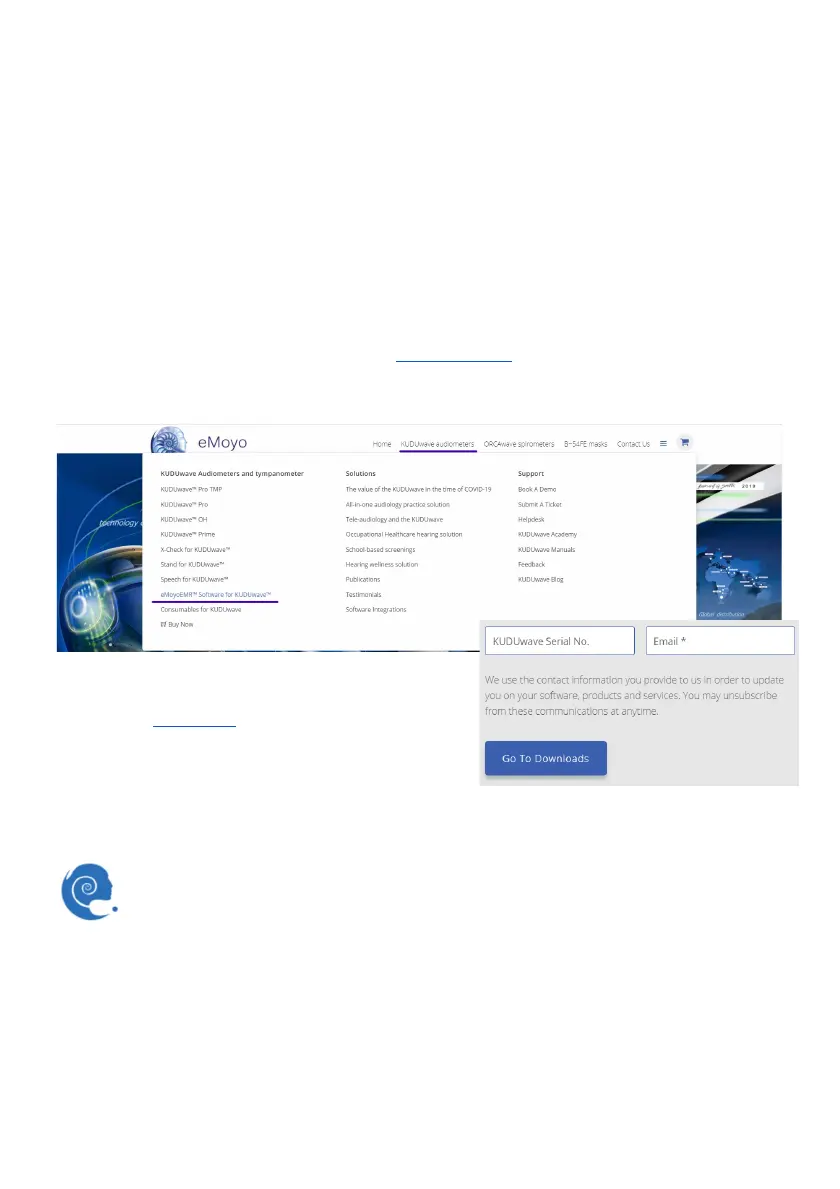
one computer, please visit the eMoyo website (www.emoyo.net
). Click on KUDUwave Audiometers in
the main menu and select eMoyoEMR Software for KUDUwave. Submit your contact information to gain
access to the downloads page.
These details will be added to our customer database so
that you may be alerted of any changes or updates to the
software. The change log
is also publically available on our
website and is regularly reviewed for any updates. Next,
download the software from the provided link and run the
saved installation file as an administrator. Use the chat
function in the bottom right hand corner of your screen to
chat to us live if you need help.
Software Launch
You should find this eMoyoEMR shortcut on your PC’s desktop. Alternatively you can find
eMoyoEMR under programs in your start menu. Launch immediately after installation or, click
the icon to launch.
Software Language
The software is currently available in English, Spanish, French, Portuguese, Bahasa and Dutch.
Preparing the Test Environment



 To Next Page