eMKW-TD0054-21- Page 29
Working with Clinical Tests
Create a New Test
Ensure that your KUDUwave™ is plugged in before attempting to initiate a test.
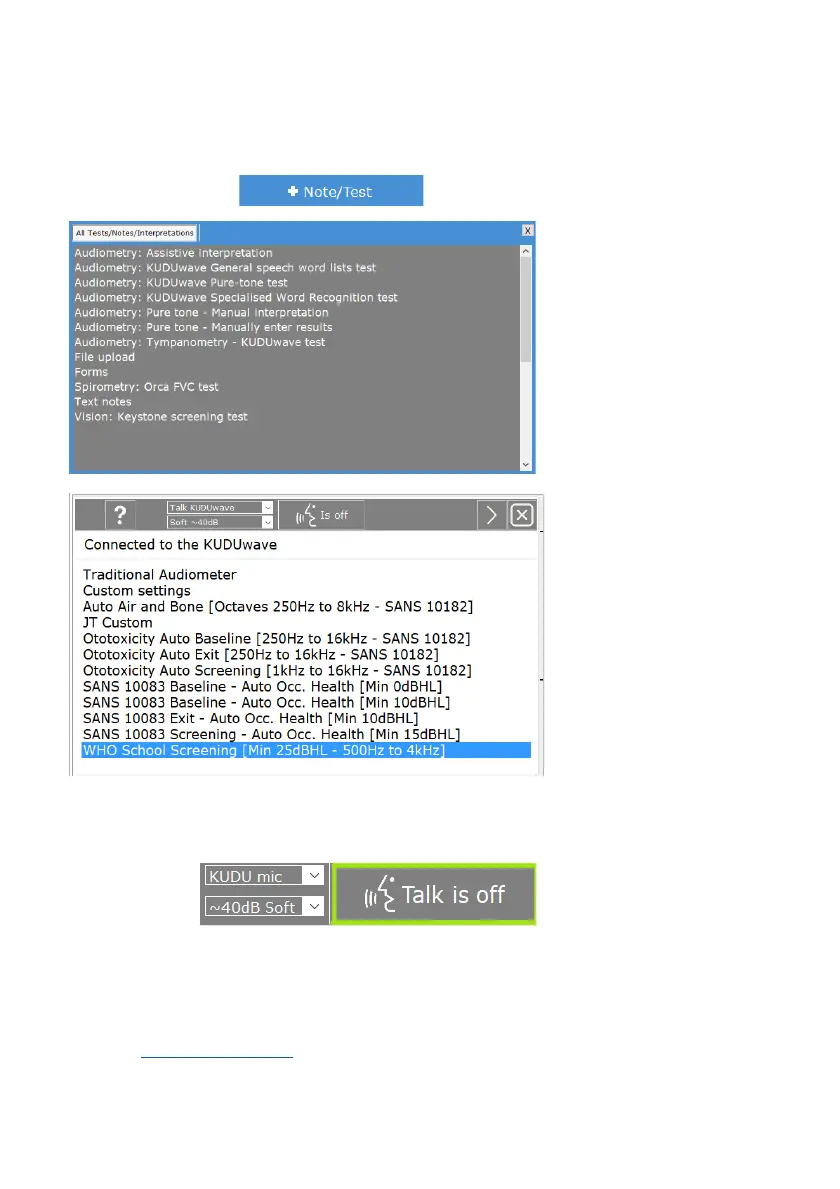
To add a new test click on to get access to the following options:
audiometry select :
“Audiometry: KUDUwave
Pure-tone test”
From this next test protocol
menu select the type of
protocol to perform from the
list and then press “Next”.
This will start the “macro”, an
automatic testing protocol
with preloaded settings that
meet the standards
mentioned in the label.
Alternatively, select
“Custom Settings” to create
a macro with your own
settings.
If at any stage during a test you would like to communicate with the patient, use the talk forward button,
seen below.
Click here again to turn off.
Visit the KUDUwave Academy to see how it’s done:
Create a New Test Macro
Should you wish to customise your audiometry test, make sure the folder has default settings. You can
check this by selecting the folder and noting the folder type in the top right hand corner. To change this
refer to the Working with Folders
section.



 To Next Page