eMKW-TD0054-21- Page 30
Select a patient in this default folder and click on .
Select “Audiometry: KUDUwave Pure-tone test” and you will then see the test protocol menu as on the
previous page.
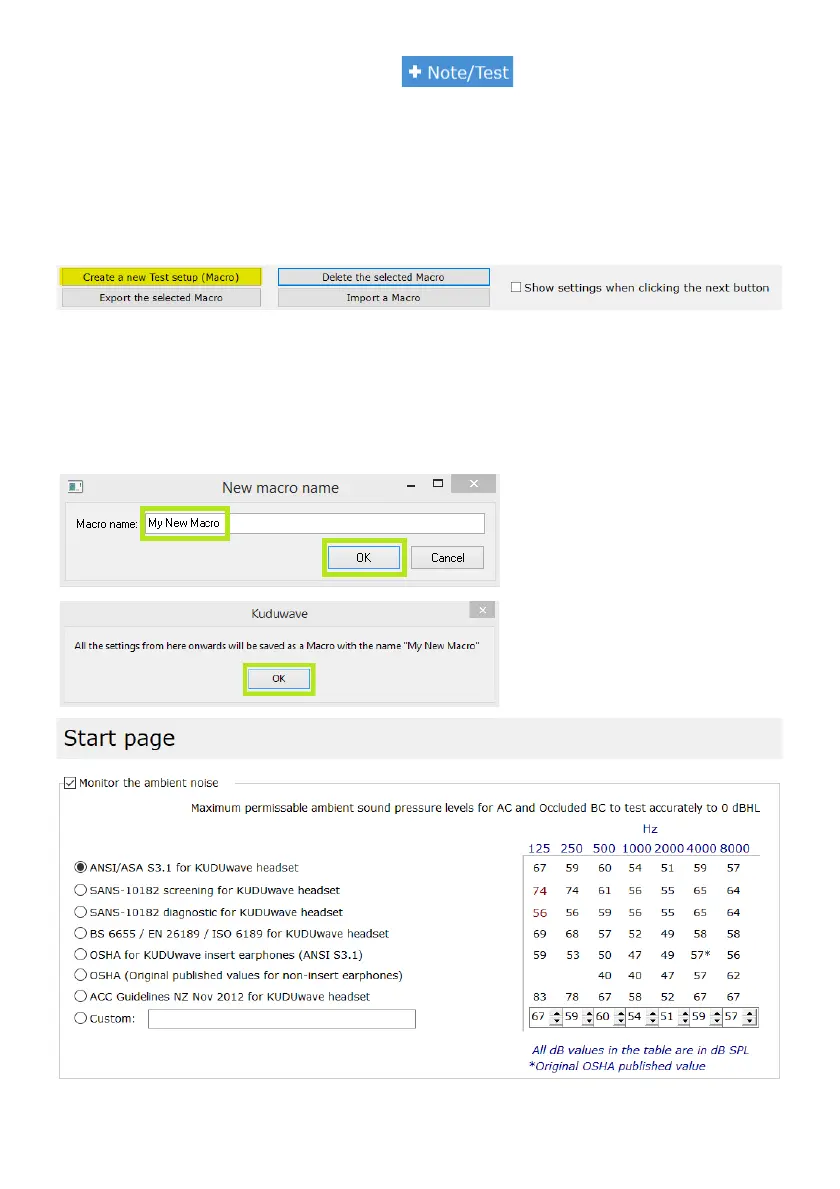
Note: You can copy the preset settings of the default macros in this menu to your new test macro. This
is an easier way to make minor adjustments to the already existing test protocols. Just click on one of the
pre existing test macros, and then click on the button at the bottom of the screen “Create a new Test
setup (Macro)”. To start from scratch, just click on this button without a test protocol preselected.
You can view the settings of any test macro before proceeding to the test, by checking the box next to:
“Show settings when clicking the next button”.
Delete any unwanted test macros by selecting the test macro and clicking “Delete the selected Marco”.
Export and Import custom or default test macros using the two options respectively mentioned at the
bottom of the screen.
Once you have clicked on “Create a
new Test setup (Macro)” enter the new
name for this Macro.
Select “OK” twice.
Your first option to select is the
standard by which you would like to
monitor the ambient noise in the room.



 To Next Page