eMKW-TD0054-21- Page 75
Assistance from the Manufacturer
Contacting eMoyo
Any serious incident that has occurred in relation to the KUDUwave should be reported to eMoyo Head
Office and the competent authority of the Member State in which the user and/or patient is established.
● Email: info@emoyo.net / support@emoyo.net
● Phone: +27 087 231 0132 / +27 082 440 0826
● Website: www.emoyo.net
Remote Assistance
We offer to help you remotely by taking control of your laptop with the TeamViewer plugin.
To download the TeamViewer remote assistance plugin, please visit:
https://www.teamviewer.com/en/download/windows/
Alternatively in the eMoyoEMR software, go to Plugins and install the TeamViewer app readily available
there.
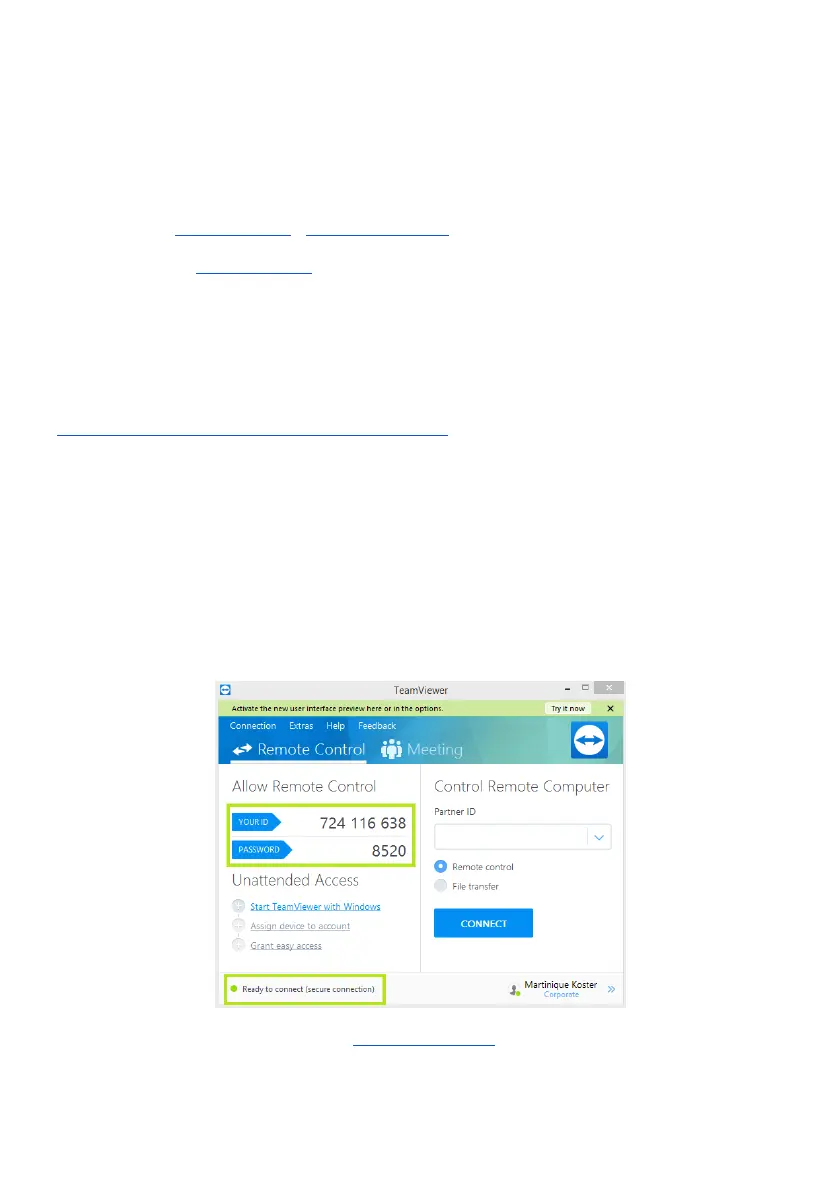
For live remote assistance, make sure you have:
1. Downloaded and installed TeamViewer on your PC
2. An active internet connection.
3. Your TeamViewer ID and Password.
Get in contact with our Support Team at: support@emoyo.net and provide them with these details.



 To Next Page