eMKW-TD0054-21- Page 51
KUDUwave™ Tympanometer
Begin a Tympanometry Test
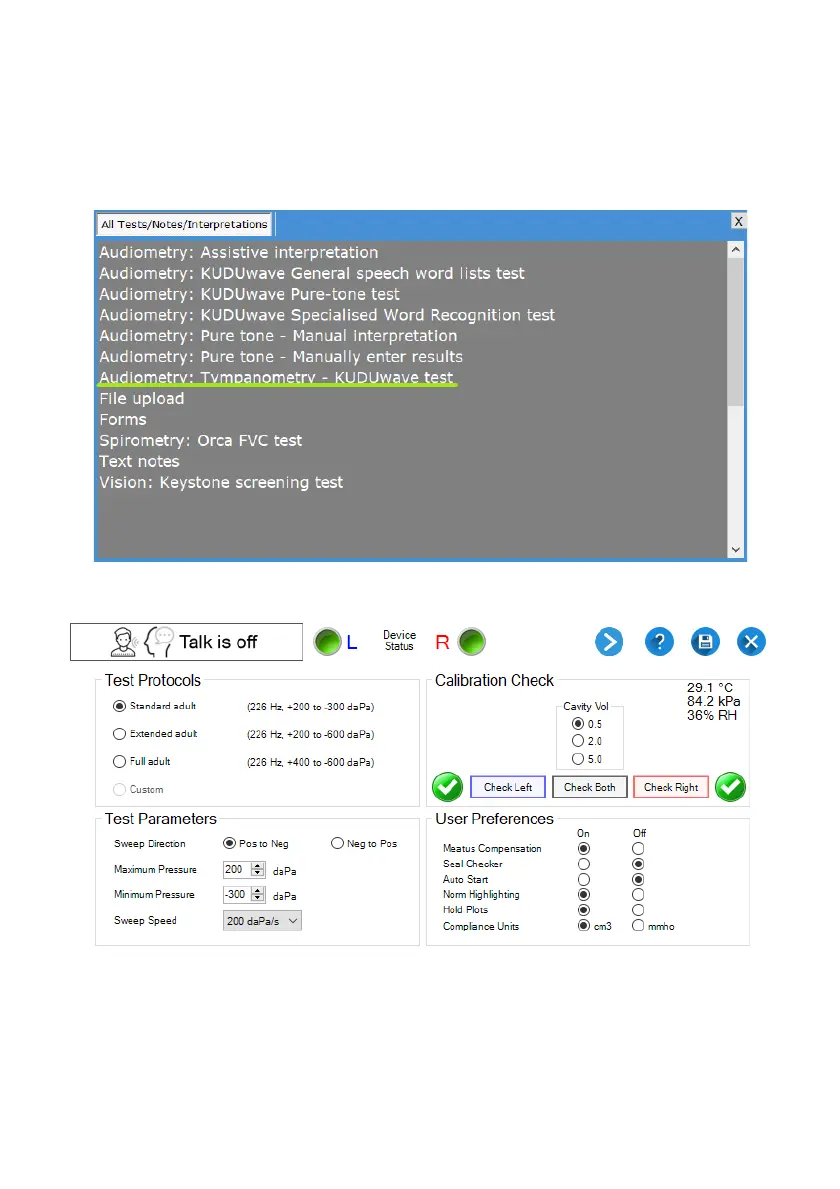
Click on the + Note / Test button and select Tympanometry from the list.
This opens up the homepage of the tympanometry software
Check the Device Status
The Device Status indicates whether each side of the device is connected and ready to perform tests.
The left light will indicate if the left tympanometer is ready for testing and the right light will indicate if
the right tympanometer is ready.



 To Next Page