eMKW-TD0054-21- Page 21
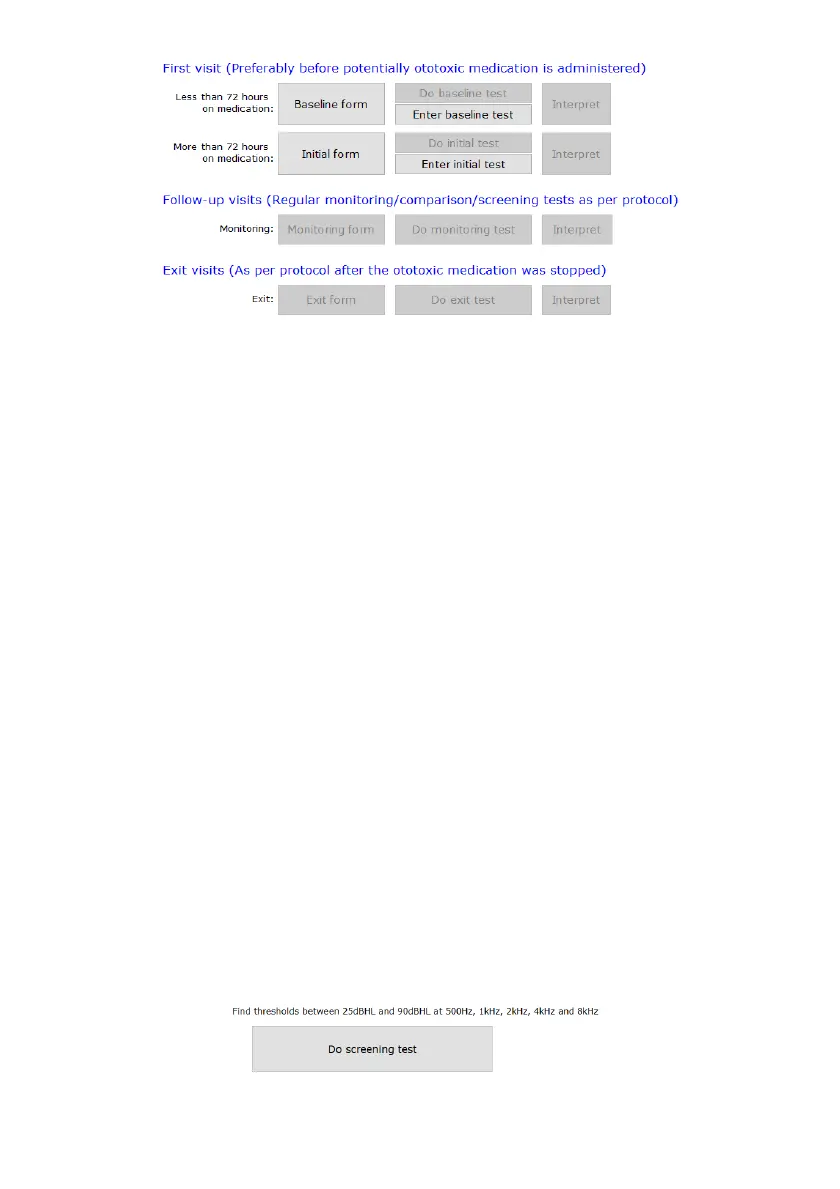
● As a patient enters the MDR-TB monitoring program (i.e. it is their first visit to the clinic), an
initial / baseline form, test and assistive interpretation must be recorded.
● If the patient has already completed their baseline test (for example he was first tested a year
ago), manually enter these results into the KUDUwave database by clicking: Enter baseline /
initial test.
NOTE: You cannot perform a Monitoring or Exit test until the patient’s full history is manually
entered into the system.
● Once the manually recorded results are saved in the database, you can continue on to the
monitoring test.
● When the patient arrives for their next follow-up visit, complete the monitoring form, test and
interpretation.
● Once the patient is ready to exit the program, complete the exit form, test and interpretation.
Hearing Screening for Humanitarian Outreach Projects
This folder is designed to screen masses efficiently and effectively.
Which test can I perform in this folder type?
● Pure tone test which finds thresholds between 25 - 90 dB HL at 500Hz, 1kHz, 2kHz, 4kHz
and 8kHz.
How do I start testing?
1. After adding a patient to the smart folder, click on +Note/Test to open a new test.
2. The menu below will appear for you to start the automatic test. You can return to the normal
interface by clicking on the button "Select a new Test / Note / Interpretation / Notification" in
the top left corner.
3. At any point during the test you can manually take over by clicking on pause.
4. Save the test once it is completed.



 To Next Page