eMKW-TD0054-21- Page 53
If no lights appear, a stable reading cannot be obtained. Check that the correct side is inserted into the
calpods or if there is excessive ambient noise, try shielding the device from it.
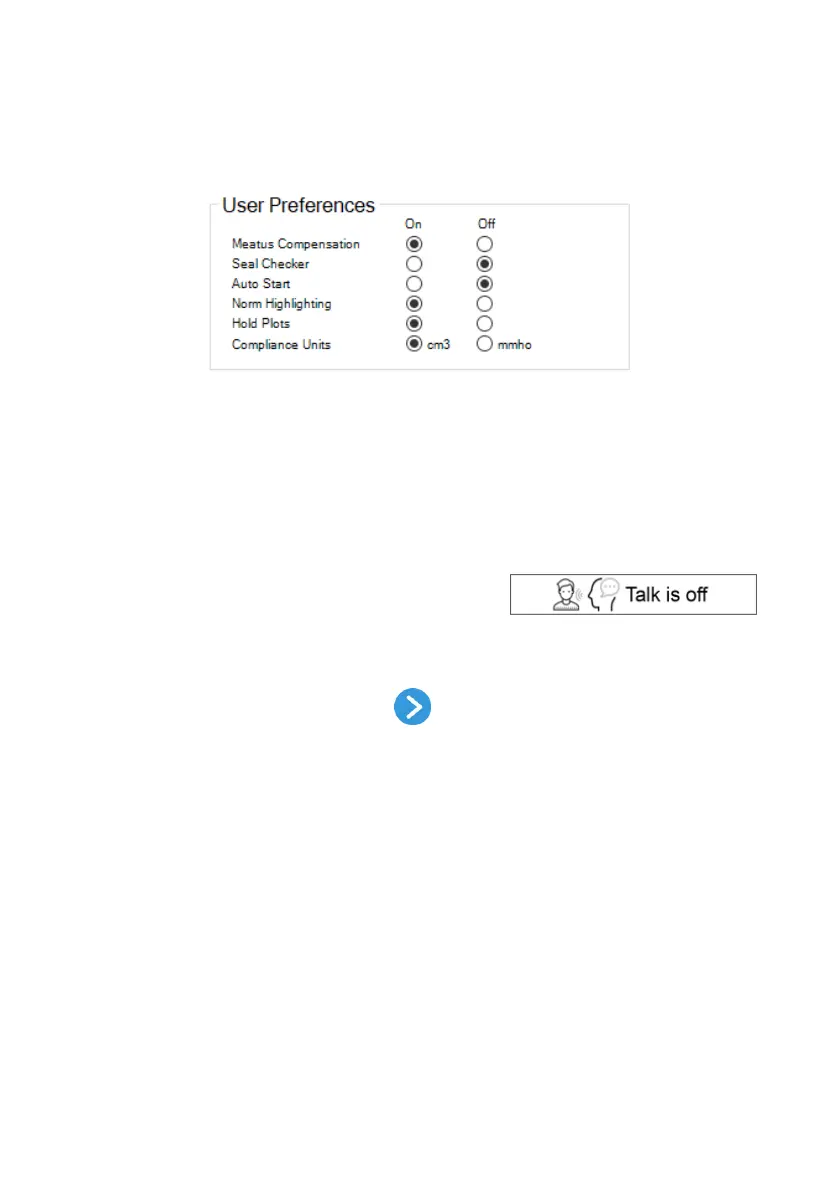
Select User Preferences
Various user preferences can be selected. These will be saved for next time you open the software.
● Meatus Compensation
Compensates for the admittance of the air in the ear canal
● Seal Checker
Automatically checks for a seal
● Auto Start
Automatically starts a sweep once a seal is obtained
● Norm Highlighting
Highlights the metrics that fall outside general norms
● Hold Plots
Superimposes the current and previous tympanograms
● Compliance units
Selects units of mmho (Acoustic cgs) or cm
3
Communicate with talk forward
At any point during the tympanometry test you can
communicate with the patient using the talk forward button.
Click it once to turn the talk forward on and again to turn off.
Talk forward must be disabled before running any tests.
Move to the Testing Page
To move on to testing, click on the Next button . This opens up the testing page and conducts the
tympanometry test automatically according to your previously chosen settings.



 To Next Page