eMKW-TD0054-21- Page 55
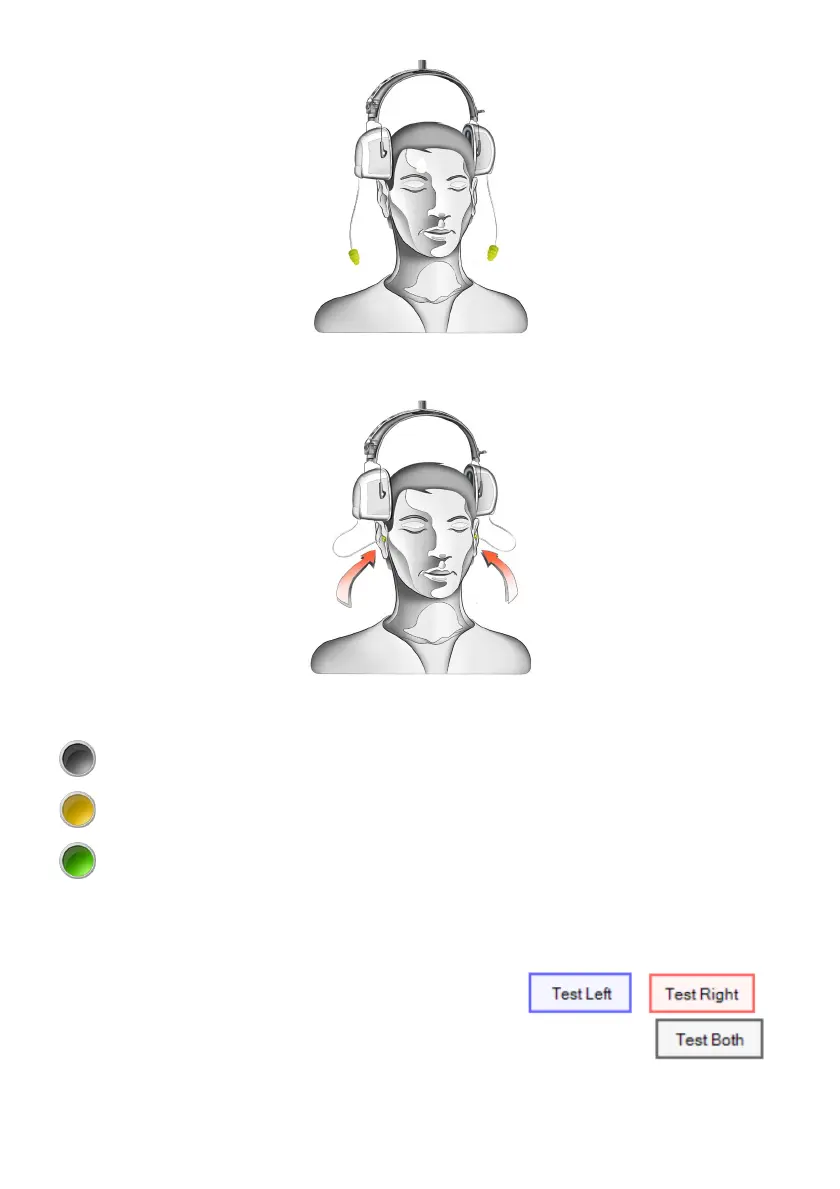
Insert the ear-tips into the ear canal and ensure it makes a good seal.
If the Seal Checker user preference is on, the status of the seal will be indicated.
A black light indicates that the probe is out of the ear or Seal Checker is off. This will show after
a successful sweep.
A yellow light indicates that there is a leak and a good seal cannot be obtained. Try re-inserting
the ear-tip.
A green light indicates that there is a good seal and a sweep can be started.
The Seal Checker can be temporarily stopped by clicking on the light indicator.
If the Auto Start user preference is on, the sweep will begin as soon as a good seal has been obtained.
Run a sweep by clicking on the Test button for the respective side: or
If ear-tips are inserted into both ear canals, bilateral testing can be done by clicking: . A
test can also be started by pressing the hot keys “L”, “R” and “B” or spacebar for left, right or both



 To Next Page