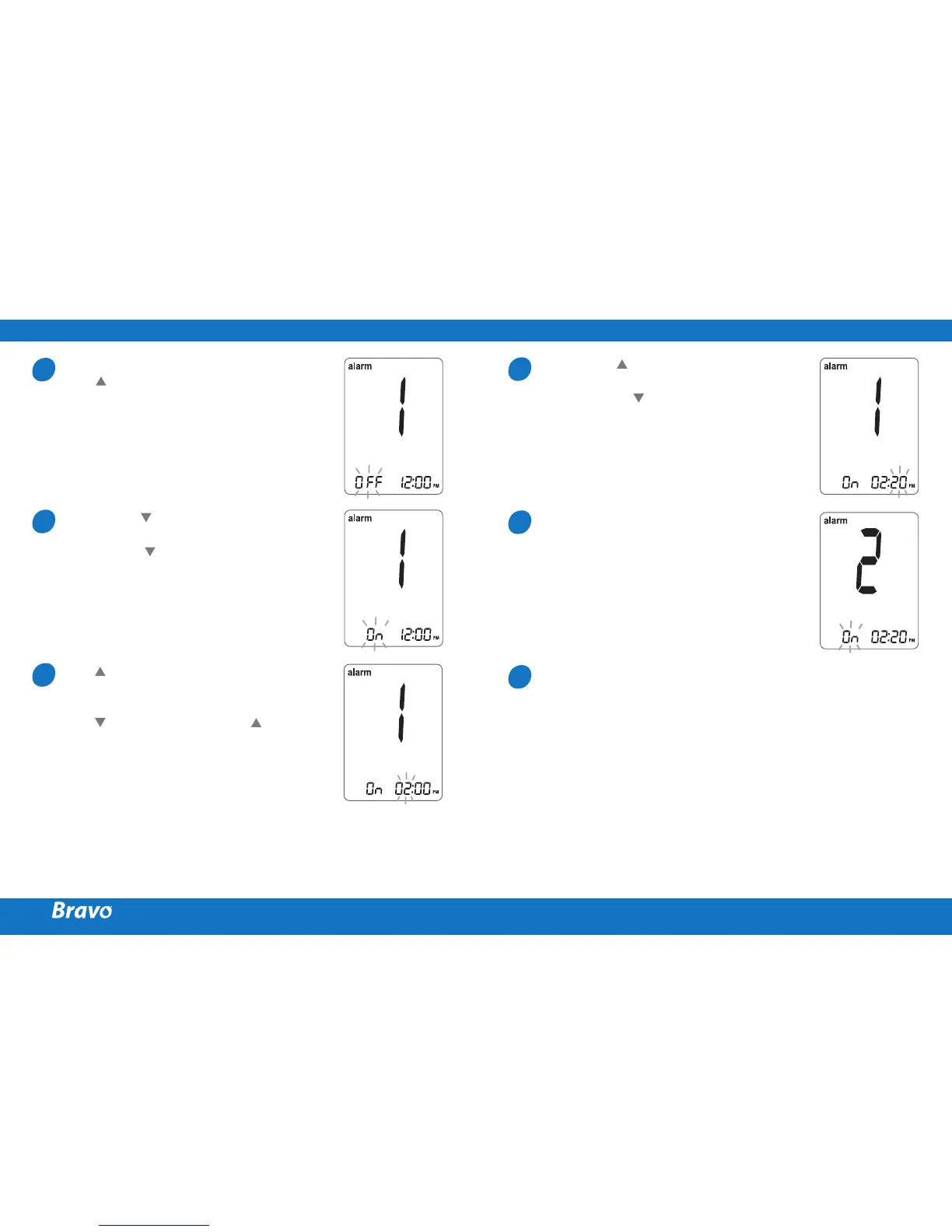
Without inserting a test strip,
press and the
S
button
simultaneously for 3 seconds to
enter the time alarm mode. The
‘alarm1’ will be displayed while
the ‘OFF’ blinks on the screen.
On pressing , the ‘alarm1’ is set
and the ‘On’ is displayed on the
screen. Press again to cancel
the ‘alarm1’. The ‘OFF’ will blink
on the screen.
Press to adjust the time of the
‘alarm1’. A number representing
the time will blink on the screen.
Press to set the time. Press
to end.
On pressing , the number
indicating the minute will start
blinking. Press to set the
accurate minute.
Press the
S
button to finish
and to enter the ‘alarm 2’
mode. Repeat steps 2 to 5 to
set the remaining time alarms
(alarm 2 ~ 3).
Press the
S
button for 3
seconds to finish and turn the
meter off.
SETTING THE TIME ALARMS (ALARM 1 ~ 3)
1
4
2
5
3
6



 To Next Page