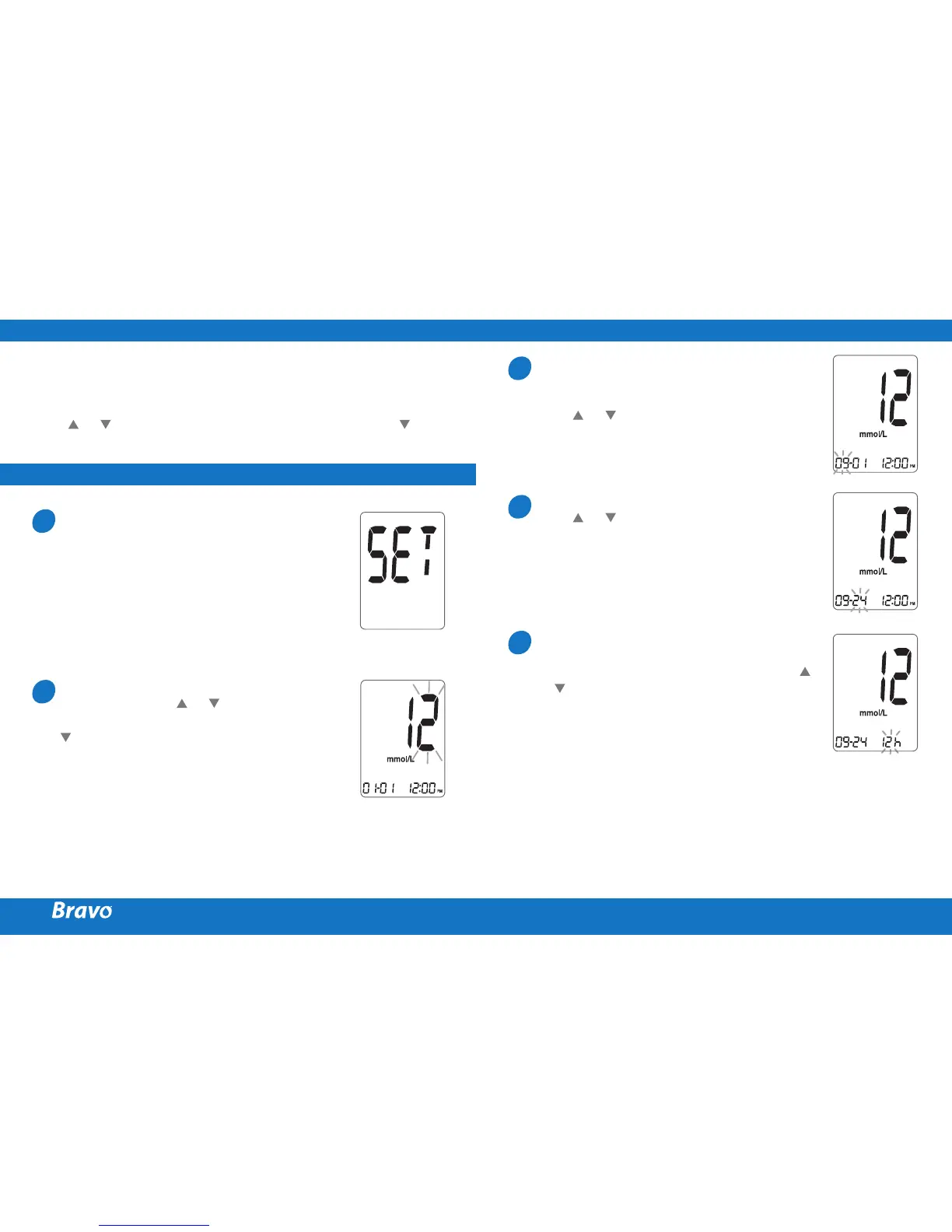
Press and hold the S button for 3 seconds to enter the SET
mode.
After all settings are finished, press and hold the
S
button for 3 seconds to turn off the meter.
Press or to reach the accurate value. Press and hold to
scroll faster.
SETTING UP YOUR SYSTEM
ADJUSTING THE DATE AND TIME
Entering the SET Mode
Press and hold the
S
button for 3 seconds
to enter the SET mode. After all the
segments flash across the screen, the ‘SET’
character will be displayed on the screen.
Press the
S
button again to enter the year
setting mode.
Setting the Year
Press and release or to adjust until
the correct year appears. Press and hold
button to scroll through the numbers
quickly.
After setting the year, press the
S
button
to confirm your selection and enter the
month setting mode.
1
2
Setting the Month
A number indicating the month will be
blinking on the left corner of the screen.
Press or until the correct month
appears. Press the
S
button to confirm your
selection and enter the date setting mode.
Setting the Date
Press or until the screen displays the
correct date. Press the
S
button to confirm
the date and enter the time setting mode.
Setting the Time
The meter can be set in the AM/PM 12-
hour or the 24-hour clock format. Press
or to select a format. The AM/PM icon is
not displayed in the 24-hour format. After
selecting the format, press the
S
button to
enter the hour setting mode.
3
4
5



 To Next Page