Long Range Wireless Access Point / Client Bridge Version 1.0
16
System
Click on the System link on the navigation
drop-down menu. You will then see three
options: System Properties, IP Settings, and
Spanning Tree Settings. Each option is
described in detail below.
System Properties
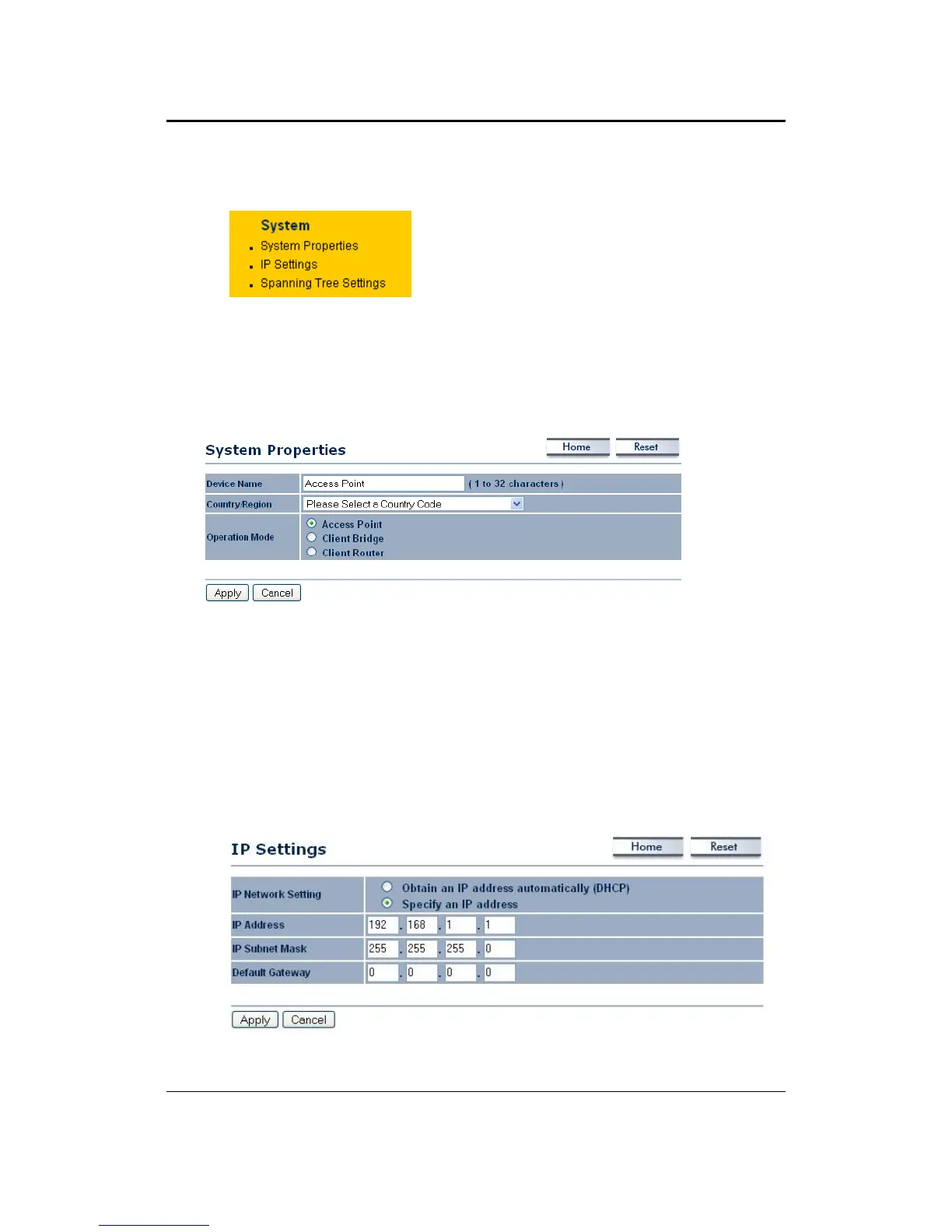
Click on the System Properties link under the System drop-down menu. This page
allows you to switch the operating mode of the device, as well as specify a name and
select the operating region.
Device Name: Specify a name for the device (this is not the SSID),
Country/Region: Select a country from the drop-down list.
Operating Mode: Select and operating mode. Configuration for each operating
mode is described in their respective chapters.
Click on the Apply button to save the changes.
IP Settings
Click on the IP Settings link under the System drop-down menu This page allows
you to configure the device with a static IP address or a DHCP client.
IP Network Setting: Select Obtain an IP address automatically (DHCP) radio
button if the Access Point is connected to a DHCP server. This will allow the Access



 To Next Page